
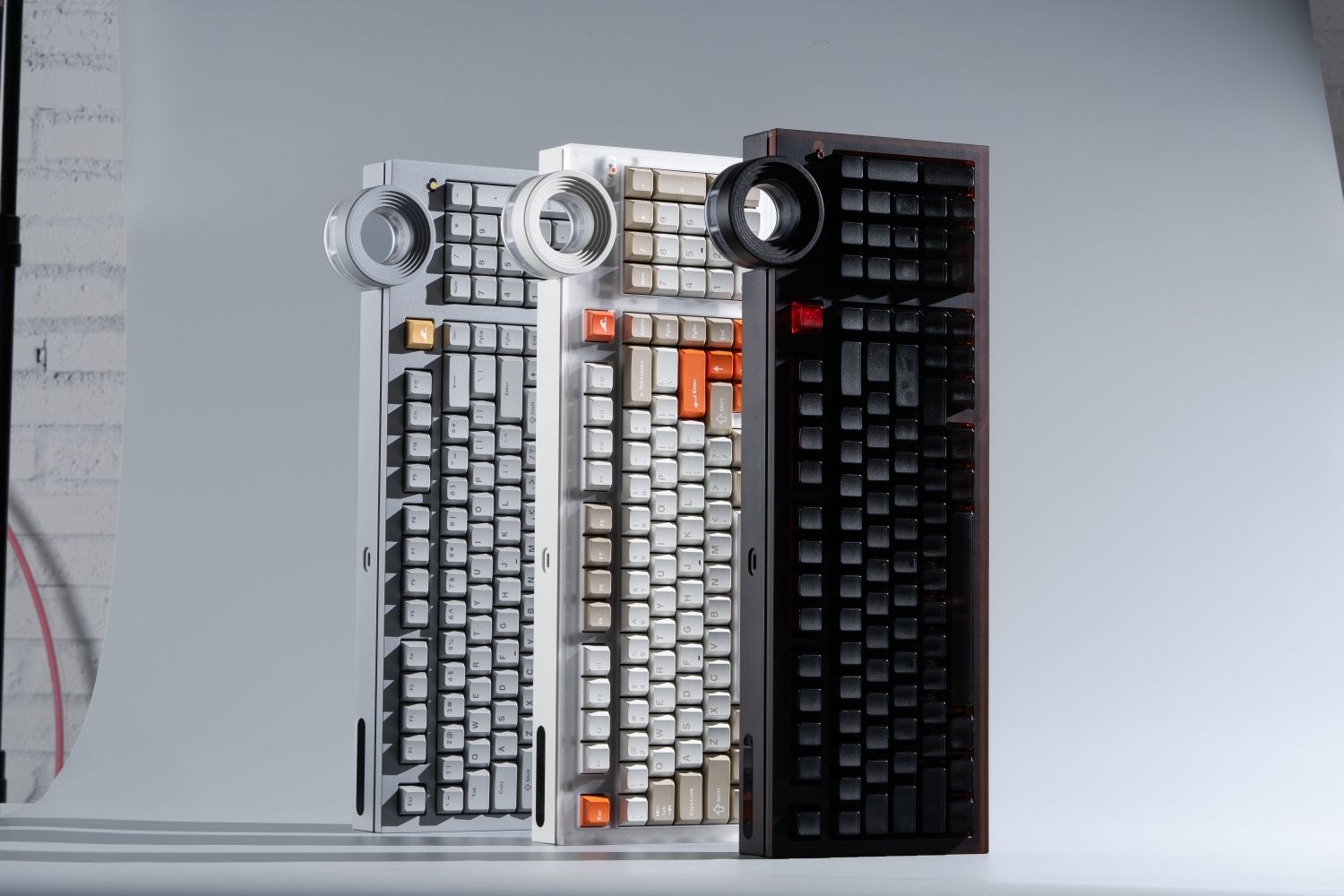
The best keyboard for typing keeps your hands comfortable, provides clear feedback, and includes the keys you use every day. For most writers and coders, a well-built mechanical keyboard with light tactile or smooth linear switches is the safest choice. This guide compares eight strong options, from quiet office boards to compact, programmable models.
What Makes the Best Keyboard for Typing Comfortable?
A keyboard does not need the loudest switches or the most features to be good for typing. It needs to feel predictable. Each key should move smoothly, register without excessive force, and return quickly enough that your fingers can maintain a natural rhythm.
The stable construction associated with a premium gaming keyboard also benefits writers and programmers. A firm case, consistent switches, and well-supported larger keys reduce distractions, although typing-focused users should prioritize comfort, noise, and layout over extreme response settings.
Switch Weight and Feedback
Light to medium switches are easier to press repeatedly, but very light switches can cause accidental inputs. Tactile switches provide a confirming bump, while linear switches feel smoother. Choose the option that lets you type accurately without bottoming out every key.
Layout and Key Access
Writers need reliable modifiers and navigation; coders often use arrows, function keys, brackets, Home, End, Page Up, and Page Down. A 75%, TKL, 96%, or full-size layout keeps most controls visible.
Height, Angle, and Wrist Position
A tall case may require a wrist rest, while a low-profile board can reduce wrist extension. Keep your wrists close to neutral and do not raise the rear feet unless the angle feels comfortable.
Which Best Keyboards for Typing Stand Out at a Glance?
These products appear repeatedly in typing, programming, or enthusiast recommendations. Treat the table as a shortlist: layout and switch feel matter more than minor specification differences.
|
Keyboard |
Layout |
Best for |
Main strength |
|
Keychron Q5 Max |
96% |
Best overall |
Cushioned typing feel with a numpad |
|
Logitech MX Mechanical |
Full-size / Mini |
Shared offices |
Low-profile, multi-device workflow |
|
ATM 98 |
98% |
Quiet long-form work |
Silent switches and complete key access |
|
HHKB Professional Hybrid |
60% |
Focused writers and programmers |
Minimal layout and distinctive key feel |
|
Keychron Q1 Max |
75% |
Customization |
Programmable compact layout |
|
Dry Studio Battleye 75 HE R2 |
75% |
Coding and competitive gaming |
Compact layout with a dedicated typing mode |
|
NuPhy Air75 V3 |
75% low-profile |
Travel and laptop users |
Thin, portable mechanical design |
|
Kinesis Freestyle Pro |
Split TKL |
Ergonomic setups |
Adjustable split positioning |
One advantage of custom keyboards is that you can choose switches, keycaps, and sound-dampening foam around your typing needs. That makes it easier to create the feedback, key feel, and noise level you prefer, while selecting a layout with the numpad or navigation keys your work requires.
Which Mechanical Keyboards Are Best for Writers?
Writers benefit from consistent feedback, moderate switch weight, and controlled sound. A good keyboard should fade into the background once a writing session begins, not constantly call attention to itself.
Keychron Q5 Max
 The Keychron Q5 Max combines a space-saving 96% layout with a numpad. Its double-gasket construction gives keystrokes a softer landing, while wireless support and hot-swap sockets leave room for customization. The heavy aluminum case makes it a desk keyboard, not a daily travel companion.
Logitech MX Mechanical
 The Logitech MX Mechanical is practical for writers who switch among a desktop, laptop, and tablet. Its low-profile design feels familiar to laptop users; the full-size model keeps the numpad, while the Mini saves space. It is less customizable than enthusiast boards, but its multi-device workflow suits professional environments.
ATM 98
 The ATM 98 uses a 98-key layout that keeps the numpad, function row, and navigation controls for writing, editing, and data entry. BSUN Light Sakura silent linear switches and a gasket mount keep keystrokes smooth and quiet, while an 18.8 mm front height and 8-degree angle support a natural desk position. Wired, Bluetooth, and 2.4 GHz connections also make switching between work devices practical.
HHKB Professional Hybrid
 The HHKB Professional Hybrid uses a compact layout and distinctive capacitive key feel rather than conventional MX switches. Its Control placement and small footprint appeal to some programmers, but missing dedicated keys create a real learning curve. Buy it only if you want the HHKB arrangement.
Which Best Keyboards for Typing Are Best for Coders?
Coders need dependable access to symbols, shortcuts, arrows, and navigation commands. Programmability can also be valuable because Caps Lock, macros, or less-used keys can be reassigned to match an editor and operating system.
Keychron Q1 Max
 The Keychron Q1 Max keeps a function row and arrows in a compact 75% frame. QMK/VIA support enables remapping, while hot-swap sockets let users change the typing feel. It suits programmers who want customization without a numpad, although its aluminum build is heavy for travel.
Dry Studio Battleye 75 HE R2
 The Dry Studio Battleye 75 HE R2 fits a 75% layout into a near-60% footprint while retaining the function row and essential controls used in coding. Its 35 gf WS Diamond Hall Effect switches, carbon-fiber plate, and internal dampening balance light input with a softer bottom-out. The touchscreen includes a dedicated Typing mode, while 8K polling and 0.1 ms latency serve gaming; wired-only connectivity makes it best for a fixed desk.
NuPhy Air75 V3
 The NuPhy Air75 V3 bridges laptop keyboards and full-height mechanical boards. Its thin 75% design remains portable while retaining the function row, arrows, and navigation keys. It suits developers who move between workspaces, but low-profile switches and keycaps offer fewer replacement choices than standard MX parts.
Kinesis Freestyle Pro
 The Kinesis Freestyle Pro separates the key groups so each half can follow the shoulders and forearms. This may help when discomfort comes from holding the hands too close together. It uses more desk space and requires adjustment, and persistent pain should be addressed through the full workstation setup and professional advice.
Which Mechanical Keyboard Switches Are Best for Typing?
No switch is fastest for everyone. Familiarity and accuracy matter more, so choose one that remains comfortable after an hour, not merely impressive during a short test.
Tactile Switches
Tactile switches provide a bump before bottom-out, helping writers confirm inputs. Medium-light tactiles are a safe starting point; the bump should feel clear without tiring the fingers.
Linear Switches
Linear switches move smoothly without a bump. Light models suit fast typing and repeated commands, but extremely light actuation can cause mistakes. Silent linears are useful in shared workspaces.
Clicky Switches
Clicky switches add sound to tactile feedback. The rhythm can be satisfying, but it may distract coworkers, housemates, or people on calls, so clickies are best kept in a private room.
If terms such as actuation force, tactile bump, and Hall Effect are unfamiliar, this guide to mechanical keyboard switch types explains how the main options behave. Use it to narrow the field before comparing individual keyboards.
Which Keyboard Layout Is Best for Writers and Coders?
A 75% layout is the most balanced starting point. It keeps arrows and the function row while freeing more desk space than a full-size board.
Choose 96% or 98% if you enter numbers regularly and want nearly all standard keys. Choose TKL if you want a more spacious navigation cluster without a numpad. A 60% or HHKB-style board can be efficient after practice, but layers may slow users who frequently rely on function and navigation keys.
Before buying, list the keys used during a normal workday. If several sit behind a function layer, decide whether the smaller footprint is worth the extra action.
FAQs About the Best Keyboards for Typing
Which keyboard is best for coders?
A 75% programmable keyboard suits most coders because it keeps the function row, arrows, and navigation keys in a compact frame. Choose a 96% model if your work requires frequent number entry.
What is a good keyboard for writing?
A good writing keyboard has consistent switches, a familiar layout, controlled noise, and a comfortable height. Light tactiles provide clear feedback, while silent linears suit shared rooms and smoother typing.
What is the fastest keyboard layout for coding?
No layout is automatically fastest, but 75% and TKL keyboards balance key access and size. They preserve arrows, function keys, and navigation controls while avoiding the heavier layer use of 60% layouts.
What is the most efficient keyboard for typing?
The most efficient keyboard matches the keys you use and remains comfortable over long sessions. For many people, a 75% or 96% board with light tactile or linear switches offers the best balance.
Which brand is the best for keyboards?
No keyboard brand is best for everyone. Keychron emphasizes layout choice and customization, Logitech favors office productivity, NuPhy focuses on low-profile portability, and Angry Miao and Dry Studio combine distinctive construction with specialized designs.
Conclusion
The best keyboard for typing matches your layout, switch, noise, and posture needs. Start with a 75% or 96% board and light tactile or linear switches, then choose a model whose key access and connectivity fit the way you write or code each day.
WRITTEN BY
Angry Miao
Gaming Mouse Specialist • Angry Miao Editorial Team
-
-
-
-
More articlesShare:
Why Is My Computer Keyboard Not Working? 10 Ways to Fix It
Optical vs Laser Mouse: Which One Should You Choose?