
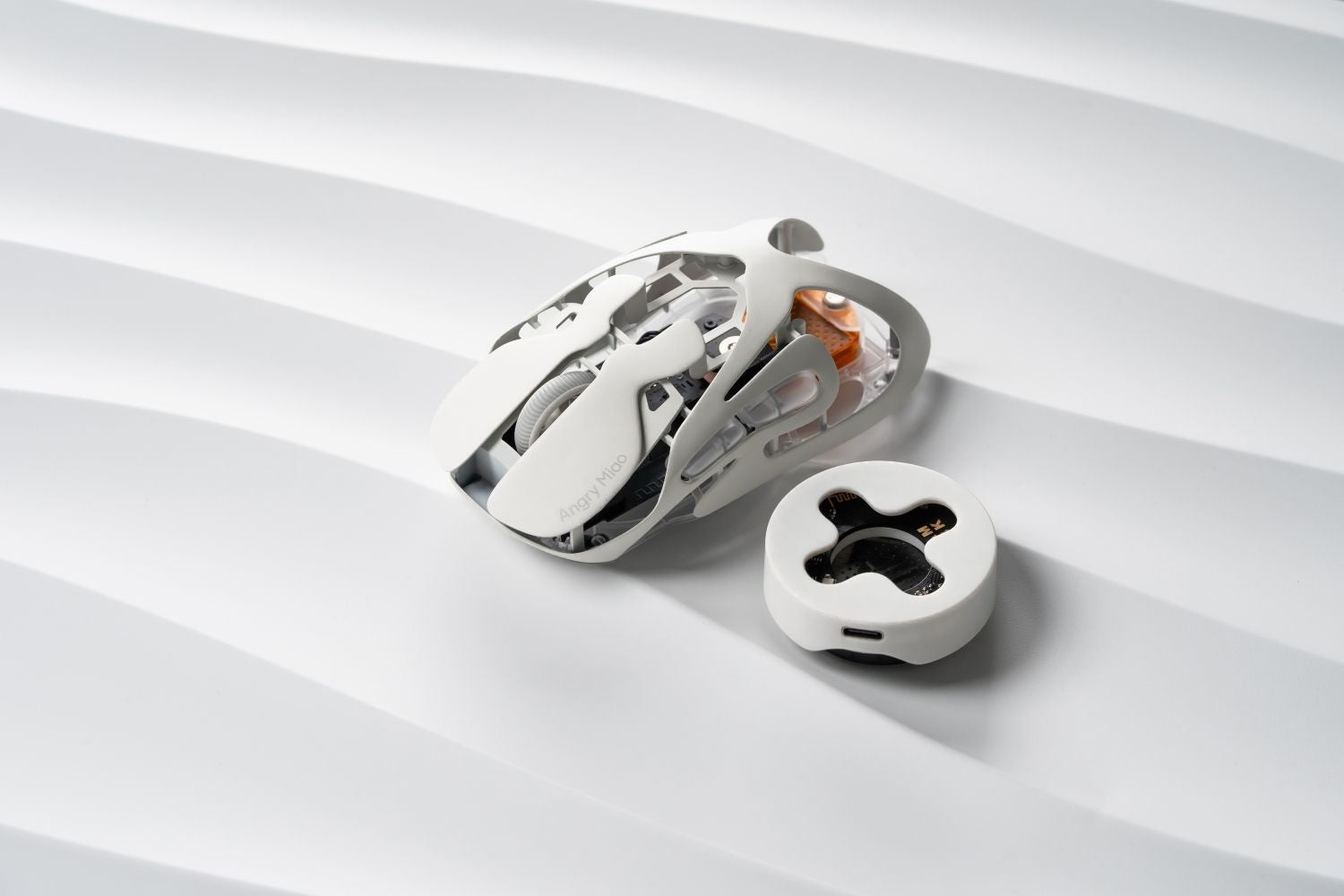
Lightweight gaming mice have become the standard for competitive play — but not all sub-60g mice are built equal. Weight is only part of the equation; sensor performance, polling rate, and build quality determine whether a mouse actually delivers at a high level. Here's a breakdown of the best options in 2026, what their specs mean in practice, and how to pick the right one
Top 10 Lightweight Gaming Mice of 2026
|
# |
Mouse |
Weight |
Sensor |
Polling Rate |
Connection |
|
1 |
Logitech G Pro X2 Superstrike |
61g |
HERO 2 |
8000Hz wireless |
2.4GHz + Wired |
|
2 |
Razer Viper V4 Pro |
49g |
Focus Pro 50K Gen-3 |
8000Hz wireless |
2.4GHz + Wired |
|
3 |
Angry Miao AM Infinity .97 |
47g |
PAW3950 |
8000Hz |
Tri-mode |
|
4 |
Finalmouse UltralightX |
40g |
PAW3950 |
8000Hz |
2.4GHz only |
|
5 |
ASUS ROG Keris II Ace |
54g |
AimPoint Pro |
4000Hz wireless / 8000Hz wired |
2.4GHz + Wired |
|
6 |
Angry Miao AM Infinity |
49g |
PAW3950 |
8000Hz |
Tri-mode |
|
7 |
Logitech G Pro X Superlight 2 |
60g |
HERO 2 |
8000Hz wireless |
2.4GHz + Wired |
|
8 |
Razer DeathAdder V4 Pro |
56g |
Focus Pro |
8000Hz wireless |
2.4GHz + Wired |
|
9 |
VXE R1 Pro |
~49g |
PAW3395 |
4000Hz wireless |
2.4GHz + Wired |
|
10 |
Razer DeathAdder V3 Pro |
63g |
Focus Pro 30K |
4000Hz wireless |
2.4GHz + Wired |
In-Depth Review: Top 10 Lightweight Gaming Mice
1. Logitech G Pro X2 Superstrike
- Specs: ~60g wireless · HERO 2 44K sensor · 8000Hz · 2.4GHz wireless
- Best for: All-round competitive gaming, claw and palm grip
The G Pro X2 Superstrike sits at the top of most independent rankings for a reason. It combines Logitech's HERO 2 sensor with 8000Hz polling and a symmetrical shape that works across grip styles. Battery life is strong, build quality is consistent, and the shape has been refined across multiple generations. For players who want a reliable daily driver without chasing the lowest possible weight, this is the benchmark.
2. Razer Viper V4 Pro
- Specs: 54g wireless · Focus Pro 35K sensor · 8000Hz · 2.4GHz wireless
- Best for: FPS and Battle Royale, claw and fingertip grip
The Viper V3 Pro features a low, symmetrical profile built around fast directional changes. The Focus Pro 35K sensor and 8000Hz HyperPolling deliver consistent tracking with minimal latency. Its flat rear section is designed for micro-adjustment control — players who run lower sensitivity settings benefit most from this shape. The low profile doesn't suit everyone, particularly palm grip users with larger hands.
3. Angry Miao AM Infinity .97
- Specs: 47g wireless / 37g wired · PAW3950 30K sensor · 8000Hz · Tri-mode (2.4GHz / Bluetooth / Wired)
- Best for: Claw and fingertip grip, players who prefer a more compact shell
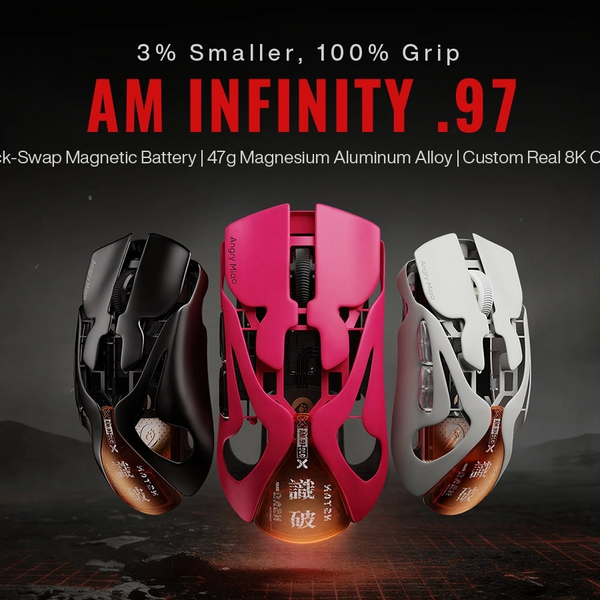
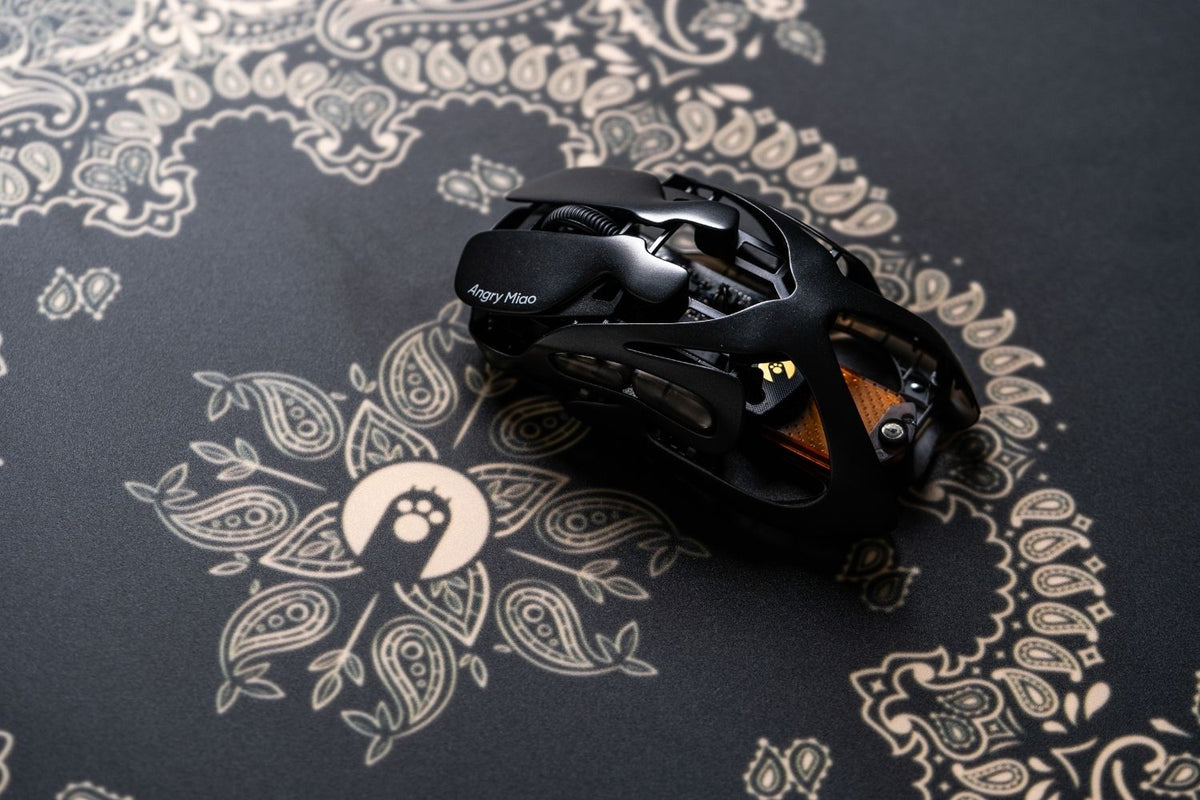
The AM Infinity .97 is a lightweight gaming mouse weighing 47g wireless and 37g wired, built on a solid magnesium alloy exoskeleton with no honeycomb cutouts. It runs the PAW3950 sensor at 30,000 DPI with a native dual 8000Hz polling rate, and supports tri-mode connectivity across 2.4GHz, Bluetooth, and wired. The compact shell is specifically shaped for claw and fingertip grip, with a rear profile designed to eliminate the length that typically interferes with recoil control. The hot-swap magnetic battery system allows a full swap in 1.2 seconds with no downtime.
4. Finalmouse UltralightX
- Specs: 40g wireless · PAW3950 sensor · 8000Hz · 2.4GHz wireless
- Best for: Fingertip grip, players prioritising absolute minimum weight
At 40g, the UltralightX is one of the lightest mice with a solid magnesium shell — no honeycomb cutouts. The shape is compact and low-profile, suited primarily to fingertip and claw grip players. Availability has historically been limited through Finalmouse's drop-based release model, which makes it less accessible than most competitors on this list.
5. ASUS ROG Keris II Ace
- Specs: 54g wireless · AimPoint Pro 42K sensor · 8000Hz · 2.4GHz wireless
- Best for: Palm and claw grip, long gaming sessions, right-handed users
The Keris II Ace is one of the few ergonomic mice in the sub-60g category. The AimPoint Pro sensor reaches 42,000 DPI, and 8000Hz polling keeps latency low. The ergonomic shell provides more palm support than symmetrical mice, improving comfort during longer sessions without adding significant weight.
6. Angry Miao AM Infinity
- Specs: 49g wireless / 39g wired · PAW3950 30K sensor · 8000Hz · Tri-mode (2.4GHz / Bluetooth / Wired)
- Best for: Competitive gaming, users who want tri-mode flexibility and a premium build
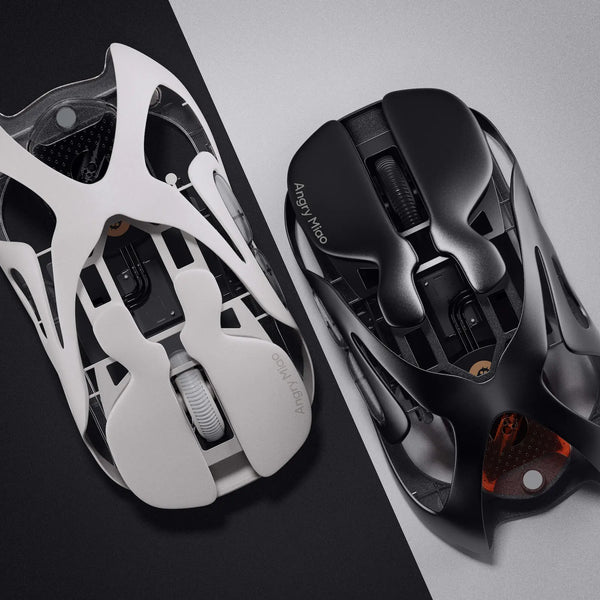
The Angry Miao AM Infinity is built around a magnesium-aluminum alloy exoskeleton — 49g wireless, 39g wired. The PAW3950 sensor runs at a native dual 8000Hz polling rate, and the tri-mode connection covers every use case. The hot-swap magnetic battery system eliminates downtime entirely: swap a charged battery in 1.2 seconds and continue playing. The alloy shell is rigid and premium in a way that plastic-bodied mice at similar weights rarely match.
7. Logitech G Pro X Superlight 2
- Specs: ~60g wireless · HERO 2 44K sensor · 8000Hz · 2.4GHz wireless
- Best for: All-round competitive gaming, players who prioritise battery life
The Superlight 2 is the proven standard for wireless lightweight gaming mice. It offers an exceptionally long battery life and a shape compatible with most hand sizes and grip styles. Logitech's wireless implementation is among the most stable available. While the X2 Superstrike offers incremental improvements, the Superlight 2 remains a strong choice — particularly at a lower price point.
8. Razer DeathAdder V4 Pro
- Specs: 63g wireless · Focus Pro 35K sensor · 8000Hz · 2.4GHz wireless
- Best for: Palm grip, right-handed ergonomic preference, long sessions
The DeathAdder V4 Pro brings the classic ergonomic right-handed shape down to 63g. The Focus Pro 35K sensor and 8000Hz polling keep it competitive, and the ergonomic shape remains one of the most comfortable for palm grip users. Among wireless gaming mouse options in this category, it suits players who prioritise comfort over chasing the lowest possible weight.
9. VXE R1 Pro
- Specs: ~58g wireless · PAW3395 sensor · 4000Hz · 2.4GHz wireless
- Best for: Budget-conscious competitive players, all grip styles
The VXE R1 Pro delivers competitive-level performance at a fraction of flagship prices. Build quality is solid for the price and the symmetrical shape works across multiple grip styles. The main limitation is the 4000Hz polling cap — a step below the 8000Hz standard at the top of this list, though imperceptible for most players outside the highest level of competitive play.
10. Razer DeathAdder V3 Pro
- Specs: 63g wireless · Focus Pro 30K sensor · 4000Hz · 2.4GHz wireless
- Best for: Palm grip, budget ergonomic option, right-handed users
The V3 Pro is the predecessor to the V4 Pro — same ergonomic shape, Focus Pro 30K sensor, and 4000Hz polling. As the newer model has pushed its price down, the V3 Pro has become one of the better value options in the ergonomic lightweight category. If you want a DeathAdder-shaped mouse and don't need the V4 Pro's sensor upgrade or 8000Hz polling, the V3 Pro at a reduced price is a practical choice.
Wireless or Bluetooth: Which Should You Choose?
For gaming, 2.4GHz wireless is the clear standard. The dedicated connection delivers low latency and consistent responsiveness that Bluetooth can't match — standard Bluetooth polls at 125Hz, compared to 1000Hz to 8000Hz over 2.4GHz. Every gaming mouse on this list uses 2.4GHz as its primary gaming connection.
Bluetooth has its place for productivity and multi-device use. If you switch between devices throughout the day, Bluetooth removes the need to move a dongle between machines. For dedicated gaming sessions, 2.4GHz is always the better choice. For a full breakdown of how the two connections differ in practice, the wireless vs Bluetooth mouse guide covers both in detail.
The mice on this list that support tri-mode — including the AM Infinity lineup — give you both options in a single device: 2.4GHz for gaming, Bluetooth for everything else, with a wired fallback when needed.
Conclusion
The best lightweight gaming mouse comes down to what you're optimising for. If overall performance is the priority, the G Pro X2 Superstrike and Viper V3 Pro set the standard. If weight is the deciding factor, the Finalmouse UltralightX and AM Infinity .97 go furthest. If build quality and tri-mode flexibility matter, the AM Infinity lineup stands apart at the sub-50g range — two of the few options that combine magnesium alloy construction, PAW3950 performance, and tri-mode connectivity under 50g.
FAQ
What weight is considered lightweight for a gaming mouse?
Generally under 70g. Most competitive players target 50–65g as the practical range — light enough for speed, with enough heft for consistent control.
Does a lighter mouse improve aim?
It can, particularly for claw or fingertip grip players at lower sensitivity. Less weight means less inertia during direction changes and faster flicks. Expect an adjustment period of one to two weeks when switching to a significantly lighter mouse.
Is an 8000Hz polling rate necessary?
For most players, no. The difference between 1000Hz and 8000Hz is measurable in benchmarks but hard to perceive in practice outside of the highest level of competitive play.
Are heavier mice better for palm grip?
Not necessarily, but palm grip players generally tolerate weight better since the whole hand rests on the mouse. Most find ergonomic mice in the 60–80g range more practical than the lightest options.
WRITTEN BY
Angry Miao
Gaming Mouse Specialist • Angry Miao Editorial Team
-
-
-
-
More articlesShare:
AM Infinity Mouse — Everything You Need to Know
Keycap Profiles Explained: Which Height Is Right for You?