
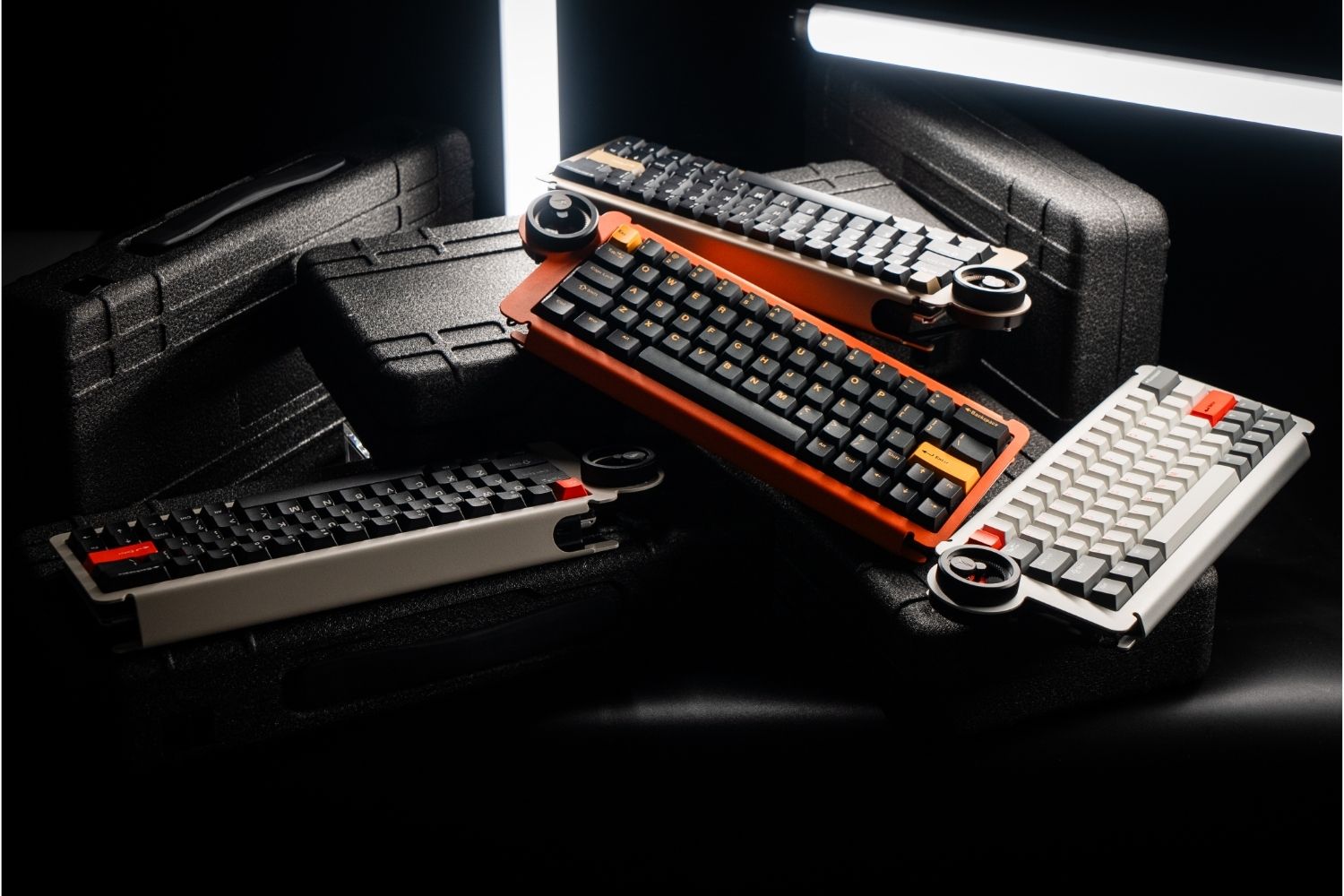
Keyboard covers come in two main forms — dust covers that sit over the board when it's not in use, and keyboard skins that sit on the keycaps while you type. Each solves a different problem. Whether either is worth adding depends on how you use your keyboard and what you're trying to protect. This guide covers what each type does, the materials available, and what to look for before buying.
What Is a Keyboard Cover?
A keyboard cover is a protective accessory that fits over or onto a keyboard. Depending on the type, it blocks dust from settling between keycaps, acts as a barrier against liquid spills, or slows the wear on keycap surfaces from oils and daily contact.
Beyond protection, covers also serve a display function — when a custom keyboard with a unique and attractive design isn't in use, a well-fitted dust cover keeps it clean and adds a finished look to the desk.
Types of Keyboard Covers

By Material
Silicone is the most common material for keyboard skins. Flexible, waterproof, and easy to clean, it's available in transparent or coloured options. The tradeoff is that it alters typing feel, adding a soft layer that reduces tactile feedback and changes surface texture.
TPU is thinner and more transparent than silicone, with less impact on typing feel. Resistant to oils and grease, it sits closer to the keycap surface — a better option for users who want protection without significantly changing how the keys feel.
Hard plastic or acrylic covers are rigid shells placed over the board when not in use. They offer strong physical protection against dust and impacts and are the standard for gaming keyboard builds.
Fabric (neoprene or polyester) covers are lightweight and designed for dust protection during storage or transport. They don't offer meaningful liquid protection but work well for travel and as a simple dust barrier.
|
Material |
Type |
Liquid protection |
Typing feel impact |
|
Silicone |
Keyboard skin |
Good |
Moderate |
|
TPU |
Keyboard skin |
Good |
Low |
|
Hard plastic / acrylic |
Dust cover |
Moderate |
None |
|
Fabric |
Dust cover |
Poor |
None |
By Purpose
Dust covers are placed over the board when idle — acrylic or fabric, no typing involved. The goal is simply keeping the surface clean between sessions.
Keyboard skins are thin silicone or TPU films used during active typing. Relevant for keyboards in environments where liquid contact or heavy debris is a real concern.
Gaming covers are typically silicone or TPU with transparent panels to preserve RGB visibility, designed for keyboards under heavy use where both protection and aesthetics matter.
What Are the Benefits of Using a Keyboard Cover?
Dust and debris protection
Dust accumulates between keycaps over time and works its way into switches, affecting feel and longevity. A dust cover prevents this when the keyboard isn't in use — particularly useful for boards that sit on a desk but aren't used daily.
Spill resistance
For keyboards near food or drinks, a keyboard skin acts as a barrier against liquid contact during use. Dust covers placed over an idle board offer less liquid protection since they're not sealed.
Keycap preservation
Finger oils and sweat gradually degrade keycap legends and surface finish. A keyboard skin limits direct contact and slows wear — relevant for boards with more expensive or limited-edition keycap sets.
Aesthetics and display
For enthusiasts who display their boards, a transparent acrylic dust cover keeps the keyboard visible while protecting it — a common choice for keyboards not in daily rotation.
Do Keyboard Covers Affect Typing Feel?
Keyboard skins do — dust covers don't, since they're removed before typing.
For skins, the impact depends on material and thickness. Silicone adds a soft layer that reduces tactile feedback and changes the surface texture noticeably. TPU sits closer to the keycap and has less impact, but some change in feel is still present.
For mechanical keyboard users who've selected switches and keycaps for a specific feel, a silicone skin works against that. These are better suited to membrane and laptop keyboards where the baseline feel isn't something you're optimising around. Keycap profile also matters — higher-profile keycaps like SA need a skin with more clearance, while lower profiles have more compatible options. Understanding keycap profiles helps clarify which covers will actually fit without interfering with the keycap shape.

How to Choose the Right Keyboard Cover?
Determine requirements
If the goal is protecting the board between sessions, get a dust cover — acrylic for display builds, fabric for travel. If the goal is protecting against spills and debris during use, get a keyboard skin in silicone or TPU.
Keyboard size and layout
Covers are not universal. A full-size 100% cover won't fit a 65% or 75% board. Confirm compatibility with your size and layout standard — ANSI and ISO differ in key arrangement and spacing, and a poor fit leaves gaps that defeat the purpose.
Check keycap profile compatibility
Some skins designed for low-profile keycaps won't sit properly over taller profiles. Confirm the skin has enough clearance for your keycap height. The keyboard accessories designed for specific boards often account for keycap profile in their fit.
Consider your environment
A desk with drinks nearby warrants a keyboard skin. A board unused for days at a time benefits more from a dust cover. A gaming setup with RGB needs a transparent option to preserve the lighting.
Budget
Basic silicone and fabric covers start at $5–15. TPU and custom-fitted skins run $15–40. Hard acrylic dust covers vary based on whether they're generic or purpose-made for a specific keyboard model.
Are Keyboard Covers Worth It?
For most mechanical keyboard users, a dust cover is worth it — particularly for boards not in daily use or displayed as part of a setup. Cost is low, protection is real, and there's no impact on typing feel since it comes off before use.
Keyboard skins are more situational. They're worth it in environments where spills are a genuine risk, or for membrane and office keyboards where typing feel isn't something you're fine-tuning. For a high-end mechanical keyboard where switch feel is the point, a silicone skin during use tends to work against what makes the board worth having.
The short answer: a dust cover is almost always worth it for any board you care about. A keyboard skin depends on your environment and how sensitive you are to changes in key feel.
Conclusion
Dust covers and keyboard skins solve different problems — one protects the board between sessions, the other protects it during use. Neither is universally necessary, but both are cheap enough that the right one for your situation is rarely a difficult call. For mechanical keyboard builds where feel and aesthetics both matter, Angry Miao designs boards and accessories around the full experience — protection included.
FAQ
Can I use a keyboard skin on a mechanical keyboard?
Yes, but it will change the typing feel. Most mechanical keyboard users prefer acrylic dust covers for storage rather than skins during use, which can muffle the tactile response and acoustics.
Are keyboard covers good for MacBooks?
Yes, silicone and TPU skins designed for MacBooks are widely available and fit well over Apple's low-profile keys. They protect against spills and dust without requiring much clearance.
Are keyboard covers bad for laptops?
A poorly fitted cover can be. If the skin is too thick, it can press against the screen when the laptop closes, leaving marks or adding pressure on the display. Always use a cover rated for your specific laptop model.
Can a keyboard cover improve typing?
Not in terms of speed or accuracy — covers don't improve the underlying key mechanism. A silicone skin slightly softens the surface texture, which some users find more comfortable. For most typists, covers are neutral at best and slightly disruptive at worst, depending on how sensitive they are to changes in key feel.
How often should I replace a keyboard cover?
When it shows visible wear — stretching, tearing, or discolouration that won't clean off. With regular cleaning, a well-made cover typically lasts 1–2 years.
Do keyboard covers cause overheating?
Not typically. Keyboards don't generate significant heat, and most covers allow sufficient airflow for normal use.
WRITTEN BY
Angry Miao
Gaming Mouse Specialist • Angry Miao Editorial Team
-
-
-
-
More articlesShare:
Wireless vs Wired Mouse: Speed & Performance for Gaming
Why Mouse Weight Matters: Lightweight or Heavy Mouse?