
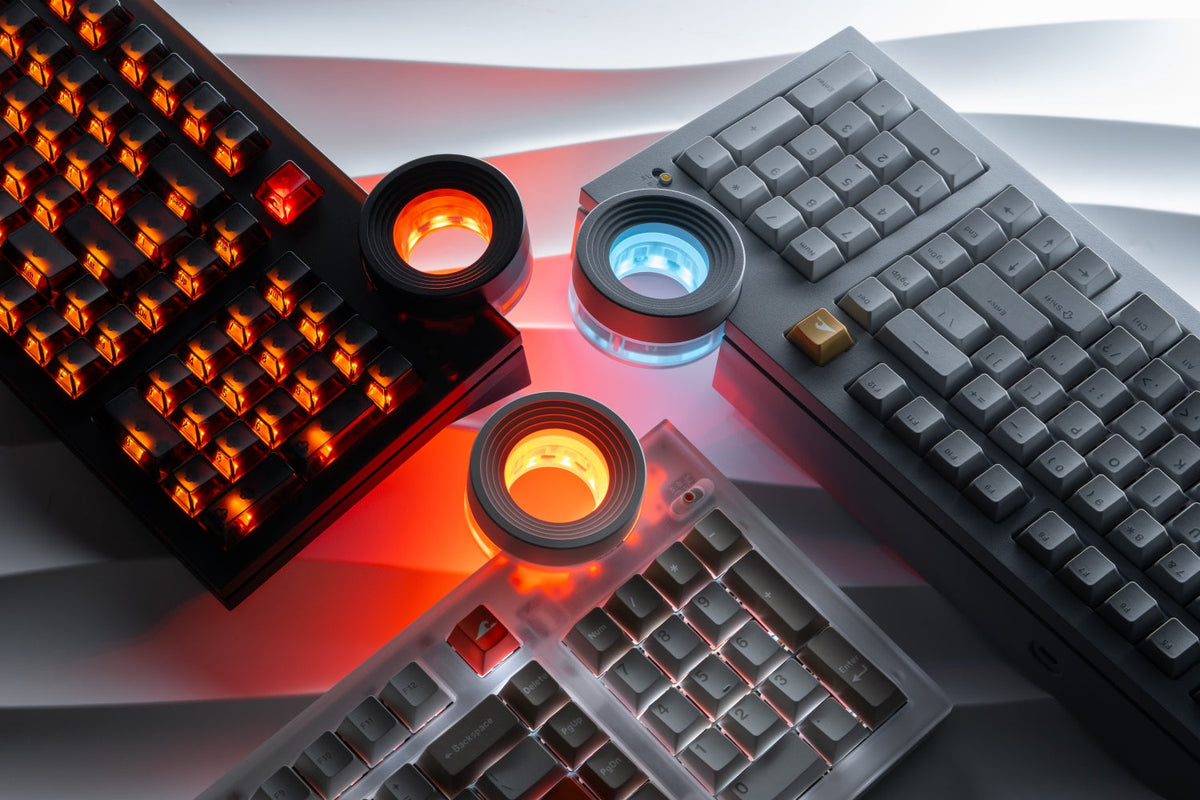
QWERTY is the broad international default, QWERTZ is adapted mainly for German-speaking users, and AZERTY is designed around French-language typing. The best choice usually depends on the language you type, the shortcuts you already know, and the physical keyboard available in your region. This guide explains the key positions, regional variants, practical effects, and switching options before you choose.
What Are QWERTY, QWERTZ, and AZERTY Keyboards?
QWERTY, QWERTZ, and AZERTY are keyboard layouts: rules that assign letters, numbers, punctuation, and special characters to keys. Their names come from the first letters on the upper alphabet row. They are not keyboard sizes or switch types. A 75%, TKL, or full-size board can use any of these layouts if its physical key arrangement, keycaps, and operating-system settings support it.
QWERTY Layout
QWERTY begins Q-W-E-R-T-Y and is the most widely recognized layout. It is standard in the United States and common across many other countries, but QWERTY is not one single version. US, UK, Dutch, and international variants may change the Enter key, Shift key, currency symbols, punctuation, and access to accented characters.

QWERTZ Layout
QWERTZ begins Q-W-E-R-T-Z. Its most visible change is the exchange of Y and Z, reflecting the greater frequency of Z in German and the lower frequency of Y. German versions also provide direct access to letters such as Ä, Ö, and Ü, while ß and other symbols receive positions suited to German writing.
AZERTY Layout
AZERTY begins A-Z-E-R-T-Y and is associated mainly with France and Belgium. Compared with QWERTY, A trades places with Q, Z trades places with W, and M moves away from the central letter block. French and Belgian AZERTY are not identical, and newer standards can alter the placement of accents and symbols.
What Is the Difference Between QWERTZ, QWERTY, and AZERTY?
The clearest differences are letter placement, access to language-specific characters, and the symbols printed on the number row. When comparing custom keyboards, check both the logical layout and the physical format. Software can change what a key types, but it cannot move a tall ISO Enter key, lengthen a Shift key, or replace the legends on the keycaps.
|
Layout |
Main key pattern |
Common regions |
Practical note |
|
QWERTY |
Starts Q-W-E-R-T-Y; familiar English-language letter positions |
US, UK, Netherlands, and many international markets |
Many regional QWERTY variants exist |
|
QWERTZ |
Y and Z are swapped; German characters gain easier access |
Germany, Austria, and parts of Central Europe |
Usually sold in an ISO-style physical format |
|
AZERTY |
A/Q and Z/W are swapped; M and several symbols move |
France and Belgium |
French and Belgian versions differ |
The table describes common patterns, not every national standard. Even two keyboards labeled QWERTY can have different symbol keys. Before buying replacement keycaps or a board from another country, compare the Enter key, both Shift keys, bottom row, printed legends, and operating-system layout.
Why Do QWERTZ, QWERTY, and AZERTY Layouts Exist?
These layouts developed from typewriter-era systems and were later adapted to regional languages. QWERTY became established first in English-speaking markets. Instead of replacing the entire arrangement, manufacturers and standards bodies modified familiar positions to make common letters, accents, and punctuation easier to reach in other languages.
Once schools, offices, software shortcuts, and typing courses adopted a layout, changing it became expensive. Muscle memory also matters: a layout that looks inefficient on paper can still be fastest for someone who has used it for years. Modern programmable designs from Angry Miao make remapping easier, but regional conventions still shape the legends users expect to see.

Where Are QWERTZ, QWERTY, and AZERTY Used?
QWERTY dominates the United States, the United Kingdom, the Netherlands, and much of the international computer market. However, US QWERTY normally uses an ANSI-style horizontal Enter key, while UK and many European QWERTY boards use an ISO-style tall Enter key and an extra key near the left Shift. Their punctuation and currency symbols also differ.
QWERTZ is common in Germany and Austria, with related variants used elsewhere in Central Europe. Switzerland also uses QWERTZ-based layouts, but its multilingual requirements produce different legends and character access. AZERTY is most strongly associated with France and Belgium; the two countries use different implementations, so buying an ‘AZERTY keyboard’ without checking the exact country version can still produce unfamiliar symbols.
Location is a useful starting point, not a rule. A French programmer may prefer QWERTY for familiar code symbols, while a bilingual writer may choose the layout that matches the language used most often. Remote work and imported laptops also make mixed setups increasingly common.
How Do QWERTZ, QWERTY, and AZERTY Affect Daily Use?
Typing and Language
For ordinary writing, direct access to frequently used letters and accents reduces interruptions. QWERTZ is convenient for German text because umlauts and ß are readily available. AZERTY supports French writing patterns and accented characters, although their exact access depends on the national version. QWERTY feels natural for English and is widely supported by imported hardware.
Gaming Controls
Many games assume a QWERTY position for WASD movement. On AZERTY, those physical positions correspond to ZQSD, so games may detect an awkward default or display the wrong prompts. QWERTZ usually creates fewer movement-key changes, but shortcuts using Y and Z can be reversed. Most PC games allow rebinding, which is better than changing your entire system layout for one game.
Programming Symbols
Coding depends heavily on brackets, braces, slashes, pipes, and punctuation. Their positions can require Shift or AltGr combinations on regional layouts, so developers should compare symbol access instead of judging only the letter row. Staying with a familiar layout is often more productive than switching for a theoretical speed advantage.
Can You Switch Between QWERTZ, QWERTY, and AZERTY?
Yes. Windows and macOS can assign a different software layout without changing the keyboard itself. This is useful for testing, multilingual typing, or using an imported laptop. The tradeoff is that the printed legends may no longer match the characters produced on screen.
Windows Layout Switching
- Open Settings, then go to Time & language and Language & region.
- Add the required language or keyboard under Language options.
- Select the input indicator on the taskbar, or press Windows key + Space to cycle through installed layouts.
macOS Input Sources
- Open System Settings, choose Keyboard, and open Text Input settings.
- Add the QWERTY, QWERTZ, or AZERTY input source you need.
- Use the Input menu or the configured Globe key to change sources.
Physical Keys and Printed Legends
Software switching changes output, not hardware geometry. If you want matching legends, replace compatible keycaps or buy the correct regional board. Also confirm ANSI versus ISO before ordering: the difference between keyboard size and layout affects Enter, Shift, and other key positions that software cannot reshape.
Which Should You Choose: QWERTZ, QWERTY, or AZERTY?
Choose the layout that supports your main language and existing muscle memory. QWERTY is the safest choice for broad hardware availability, English typing, and shortcuts designed around US key positions. QWERTZ is usually the practical option for frequent German writing. AZERTY is sensible for users already trained on French or Belgian systems.
- Choose QWERTY if you type mainly in English, buy international hardware, or want familiar gaming and coding defaults.
- Choose QWERTZ if German is your main writing language and direct access to German characters matters.
- Choose AZERTY if French-language typing and established AZERTY muscle memory matter more than international defaults.
- Keep your current layout if switching would create more shortcut errors than it solves.
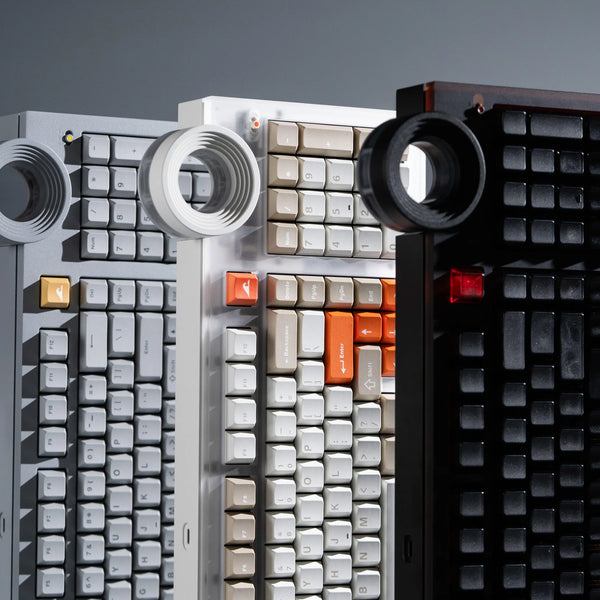
If QWERTY suits your workflow but you want a fuller board that remains configurable, the ATM 98 uses a 98-key layout with a numpad, silent linear switches, tri-mode connectivity, and QMK-based key mapping. Its 18.8 mm front height, 8-degree typing angle, gasket mount, and dual 3000 mAh batteries are useful details for long typing sessions. Remapping can change key output, but matching QWERTZ or AZERTY legends still requires compatible keycaps.
FAQs
Is QWERTZ Better Than QWERTY?
QWERTZ is usually better for frequent German typing because it prioritizes Z and provides easier access to German characters. QWERTY is more practical for English, widely used shortcuts, and international hardware availability.
Is AZERTY Better for French?
AZERTY can be more convenient for French users who learned on it and need French characters regularly. However, French and Belgian AZERTY differ, and some writers prefer another layout with an international input method.
Can I Use a QWERTY Keyboard as AZERTY?
Yes. Add an AZERTY input source in Windows or macOS, then switch to it while using the QWERTY hardware. The keys will output AZERTY characters, but the printed QWERTY legends will no longer match.
Why Do German Keyboards Use QWERTZ?
German uses Z more often than Y, so swapping their positions better suits common German letter patterns. German QWERTZ layouts also make characters such as Ä, Ö, Ü, and ß easier to enter.
Conclusion
QWERTY offers the widest compatibility, QWERTZ suits German typing, and AZERTY serves French-language habits. Choose by language, muscle memory, symbol access, and physical ANSI or ISO fit, then test software switching before buying new hardware.
WRITTEN BY
Angry Miao
Gaming Mouse Specialist • Angry Miao Editorial Team
-
-
-
-
More articlesShare:
5 Best Fast Charging Cables for iPhone 18 Pro and Pro Max
8 Best RGB Keyboards in 2026 for Every Gamer