
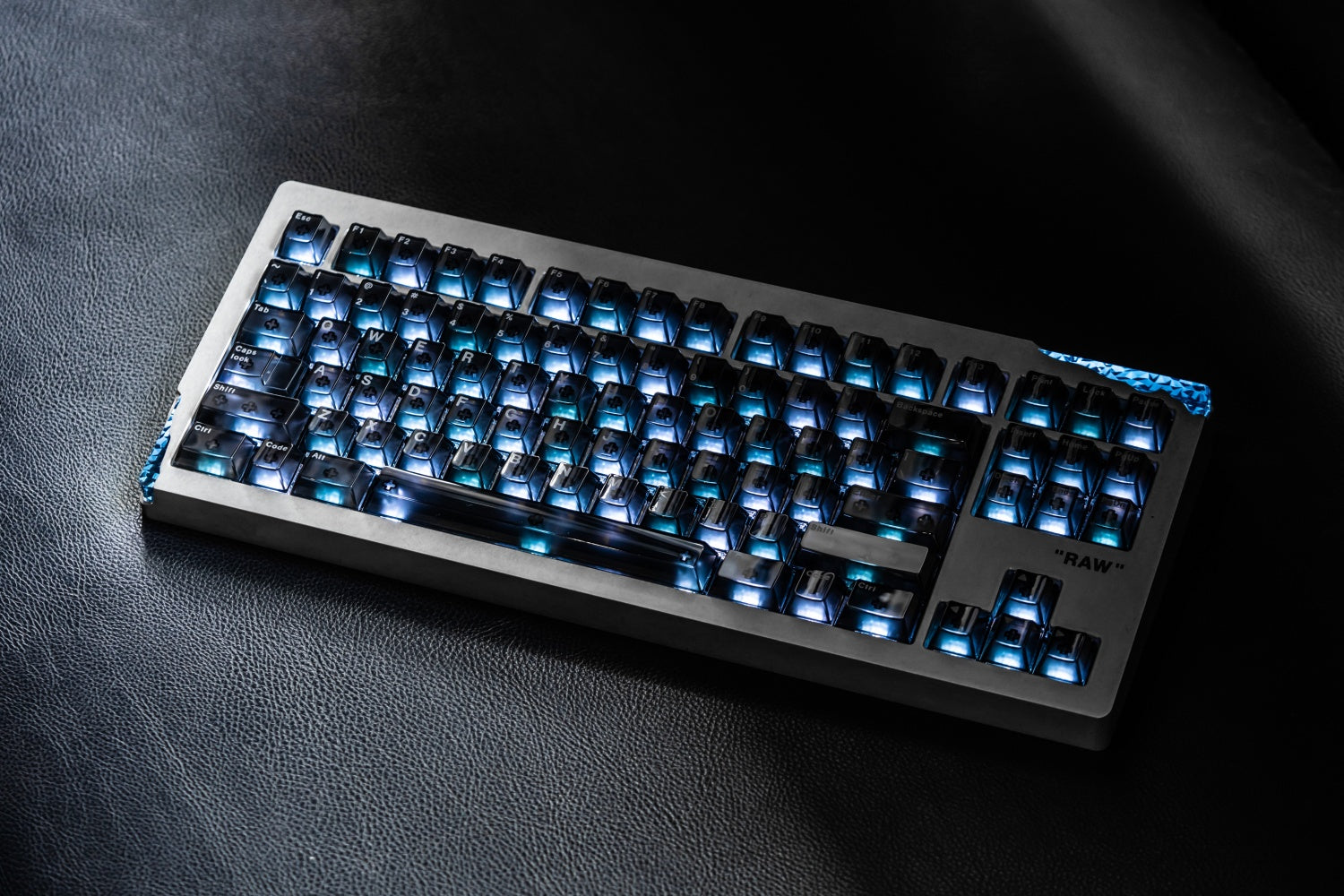
A TKL keyboard is a full-size keyboard without the number pad. It keeps the letter keys, function row, arrow keys, and navigation cluster, so it feels familiar while taking up less desk space. That makes it a practical choice if you want more room for your mouse but do not want to rely on layers for everyday keys.
What Is a TKL Keyboard, and What Does TKL Mean?
TKL means tenkeyless. The “ten keys” are the number pad on the right side of a traditional full-size keyboard. A TKL board removes that separate keypad and keeps the main typing area intact.
The Tenkeyless Layout
Most TKL keyboards have 87 keys in ANSI layouts or 88 in some ISO layouts. You still get the number row, F1–F12, arrow keys, and a dedicated navigation cluster. It is a standard layout with one key group removed.
TKL is also commonly called an 80% keyboard. The percentage is a layout label rather than an exact calculation, but it helps distinguish this format from full-size, 75%, and smaller boards. A mechanical gaming keyboard in this size can give players useful mouse room without changing the key positions they already know.

What TKL Does Not Mean
TKL does not describe switch technology, connection type, or build quality. The label only tells you which keys and spacing the layout uses.
Which Keys Does a TKL Keyboard Keep and Remove?
The easiest way to understand a TKL keyboard is to compare it with a full-size model. It retains nearly every key used for typing, shortcuts, games, and document navigation. The only major omission is the dedicated numpad.
Keys You Still Get
On a typical TKL keyboard, you keep:
-
The alphanumeric block, including the number row
-
The F1–F12 function row
-
Ctrl, Alt, Shift, Windows or Command, and other modifier keys
-
Dedicated arrow keys
-
Insert, Delete, Home, End, Page Up, and Page Down
Moving from a full-size board to TKL is usually easy because common shortcuts, editing commands, and game bindings remain where your hands expect them.
The Numpad You Give Up
The missing numpad matters most to people who enter numbers every day. Accountants and spreadsheet-heavy users may work faster with a full-size or 98% keyboard. For occasional numbers, the number row is usually enough.
How Does a TKL Keyboard Compare With Full-Size, 75%, and 60% Keyboards?
TKL sits between full-size and compact layouts. It removes the widest section of a full-size keyboard but does not compress the remaining keys. That familiar spacing is its main advantage over smaller layouts.
|
Layout |
What It Removes |
Dedicated F-Row and Navigation Keys |
Best For |
|
Full-size (100%) |
Nothing |
Yes |
Frequent number entry and maximum direct access |
|
TKL / 80% |
Numpad |
Yes |
Gaming, work, and familiar everyday use |
|
75% |
Numpad; tighter key spacing |
F-row; partial navigation cluster |
Users who want more compact width |
|
60% |
Numpad, F-row, arrows, most navigation keys |
No |
Minimal desks and layer-based workflows |
TKL vs Full-Size
Choose TKL over full-size when the numpad is not essential. The reduction in width lets your mouse sit closer to the main typing area, which can feel more natural on a narrow desk or during long gaming sessions. Choose full-size if the numpad is a daily tool rather than an occasional convenience.
TKL vs 75%
Both layouts keep a dedicated function row and arrow keys. The difference is spacing: TKL preserves the gaps between the main block, arrows, and navigation keys, while a 75% layout packs those sections closer together. An 80% keyboard is often the safer choice for someone who wants compactness without relearning where the navigation keys sit.

TKL vs 60%
A 60% board saves more space, but it moves arrow keys, F-keys, and navigation commands to Fn layers. TKL is less compact, yet it avoids that extra step. It is usually the better balance for people who edit text, use shortcuts, or switch between gaming and work.
What Are the Main Benefits of a TKL Keyboard?
TKL is popular because its space savings do not come with a steep learning curve. It removes a section many people rarely use while keeping the controls that are easy to miss on smaller boards.
More Room for Mouse Movement
Without a numpad, the keyboard is noticeably narrower. That leaves more room for a low-sensitivity gaming mouse setup and can make a smaller desk feel less crowded.
Familiar Shortcuts and Navigation
Dedicated F-keys are useful for game commands, IDE shortcuts, media controls, and software tools. The separate navigation cluster is equally helpful when editing documents or moving through code, without requiring an Fn combination for Delete, Home, or Page Down.
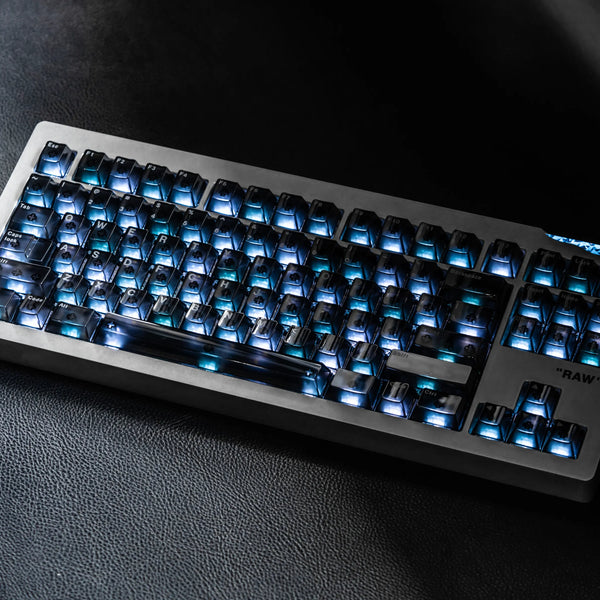
The AM Relic 80 applies these TKL advantages in an aluminium, hot-swappable design with tri-mode connectivity, dual 5,000mAh batteries, and Qi or wired charging. Its adjustable Leaf Spring mount, 19mm front height, and 8-degree typing angle also give buyers useful ways to compare typing response and desk fit.
Easier Travel Than Full-Size
TKL boards are easier to pack than full-size models, although they are not as portable as 65% or 60% keyboards. They offer a familiar layout in a more manageable footprint.
Who Should Choose a TKL Keyboard—and Who Should Not?
TKL works especially well when you use a mouse often but do not need a dedicated number pad. It is one of the most flexible layouts because it can support both focused work and gaming without a major adjustment period.
A Good Fit for Gamers, Writers, and Developers
Gamers benefit from extra mouse space while keeping F-keys and arrows available for bindings. Writers and developers keep dedicated navigation keys for editing, moving through text, and using shortcuts. It also suits general home and office use because the main typing area feels the same as a conventional keyboard.
A Better Fit for Numpad-Heavy Workflows
TKL is less suitable if you enter rows of figures, use accounting software, or rely on a numpad for shortcuts every day. A full-size keyboard keeps that speed advantage. A 98% board is another option if you want a numpad in a slightly more compact form.
Which TKL Keyboard Features Matter Before You Buy?
Once you know TKL is the right size, compare the features that affect how the keyboard feels and fits into your setup. Layout alone does not guarantee a good typing or gaming experience.
Switch Feel and Hot-Swap Support
Switches affect resistance, sound, and feedback. Linear switches feel smooth, tactile switches have a noticeable bump, and clicky switches add more sound. Hot-swap support lets you replace compatible switches without soldering, which is useful if your preferences change.
Connection and Multi-Device Use
Wired USB is simple and dependable. Bluetooth is useful for switching between devices, while 2.4 GHz wireless is often preferred for a direct desk connection. Check operating-system support, battery information, and multi-device pairing.
Build, Height, and Key Mapping
An aluminium case can add weight and a solid feel, while plastic cases are often lighter and easier to carry. Also consider the front height and typing angle, especially if you type for long periods. Programmable keys and remapping software can make a familiar TKL layout work better for your own shortcuts.
For a wider comparison of what each keyboard size keeps and removes, see the keyboard size and layout guide. It can help you decide whether the full navigation cluster on a TKL board matters more to you than the smaller footprint of a 75% or 65% layout.
FAQs About TKL Keyboards
What is the point of a TKL keyboard?
A TKL keyboard gives you more desk and mouse space by removing the numpad while retaining the function row, arrow keys, and navigation cluster. It offers a smaller footprint without the bigger learning curve of 75%, 65%, or 60% layouts.
What are the disadvantages of a TKL keyboard?
The main disadvantage is the missing numpad, which can slow frequent number entry in spreadsheets or accounting software. TKL boards are also wider and less portable than 75%, 65%, and 60% keyboards.
Is TKL 80% or 75%?
TKL is generally considered an 80% layout, not 75%. Both remove the numpad and keep the F-row and arrows, but TKL usually preserves a full, separately spaced navigation cluster, while 75% keyboards compress the keys into a narrower body.
Should I get a TKL or full keyboard?
Choose TKL if you rarely use a numpad and want more mouse room with familiar key spacing. Choose a full-size keyboard if you frequently enter numbers or depend on numpad shortcuts. Typing, function, arrow, and navigation keys remain available on both.
How many keys does a TKL have?
Most TKL keyboards have 87 keys in the standard ANSI layout. ISO models commonly have 88 keys, and some manufacturers add a knob or extra control. The defining feature is not an exact count but the removal of the full-size numpad.
How to choose a TKL keyboard?
Choose by switch feel, hot-swap support, wired or wireless connectivity, key-remapping software, case material, front height, and operating-system compatibility. Prioritize the features that affect your daily typing or gaming rather than appearance alone.
Conclusion
A TKL keyboard removes the numpad while keeping the familiar keys most people use every day. It is a practical middle ground for gaming, work, and typing: more mouse room than full-size, with fewer compromises than smaller layouts.
WRITTEN BY
Angry Miao
Gaming Mouse Specialist • Angry Miao Editorial Team
-
-
-
-
More articlesShare:
8 Best Keyboards for Programming and Developers in 2026
How to Fix Mouse Double Clicking: Causes and Solutions