
The best RGB keyboard is the one whose lighting still feels useful after the first week. Look for clear legends, lighting you can control without hassle, and a layout and switch setup that suit the way you actually type or play. This list compares eight strong options, from budget boards to two distinctive premium designs.
What Makes the Best RGB Keyboard?
RGB means a keyboard can show different colors and effects, often with separate control for individual keys. That can improve visibility in a dim room, but it is also a way to build a desk theme, mark game controls, or save different profiles for work and play. A good RGB board should still feel solid and comfortable with its lights turned down.
Per Key Lighting and Extra Zones
Per-key RGB lets you set a different color or effect for each key. It is the most flexible option for games, shortcuts, and custom layouts. Extra zones, such as underglow, edge strips, knobs, or a light panel, add more atmosphere but do not automatically make the keyboard easier to use. Check that the effects are even, that the legends remain visible, and that the board is not relying on RGB to hide weak switches or a poor case.
Controls Software and Battery Use
Software can unlock reactive effects and per-app profiles, while onboard shortcuts are quicker for brightness changes. Wireless RGB is convenient, but full brightness and animated effects can drain a battery much faster. If you want lights at maximum brightness every day, a wired keyboard is often the simpler choice. If you mainly want a gentle glow, a wireless board can be a better all-round option.
Which RGB Keyboard Features Should You Choose First?
Choose the layout before choosing the light show. A full-size board keeps a numpad and more media controls. TKL and 80% boards remove the numpad but retain the function row. A 75% board keeps most daily keys in a smaller footprint, while a 65% or 60% board gives your mouse more room but moves more commands to layers.
For a flexible starting point, a gaming keyboard should match your desk space, preferred switch feel, and the games or apps you use most. Lighting becomes more useful when it supports those choices instead of replacing them.
Switch type matters as much as lighting. Linear switches suit fast repeated presses, tactile switches add a bump for typing feedback, and magnetic switches can offer adjustable actuation for competitive play. A custom mechanical keyboard with hot-swap sockets also lets you change compatible switches later without buying a whole new board.
Best RGB Keyboards at a Glance
|
Keyboard |
Best for |
Layout |
Lighting highlight |
Price |
|
Corsair K100 RGB |
Flagship RGB |
Full size |
Per-key plus 44-zone LightEdge |
$289.99 |
|
AM Relic 80 |
Premium collector setup |
80% |
Per-key plus diamond corner modules |
$660 |
|
Dry Studio Black Diamond 75 V2 |
RGB gaming |
75% |
81 LEDs plus four corner LEDs |
$249 |
|
Razer BlackWidow V4 Pro |
RGB ecosystem |
Full size |
Per-key plus 38-zone underglow |
Approx. $229.99 |
|
NuPhy Halo96 V2 |
Wireless 96% |
96% |
Wraparound case lighting |
Varies |
|
Ducky OK-M |
Budget RGB |
65/75/98% |
Backlight plus side zones |
Varies |
|
HyperX Alloy Origins Core |
Budget TKL |
TKL |
Per-key RGB |
$79.99 |
|
Royal Kludge RK84 |
Value hot-swap |
75% |
Per-key RGB |
Approx. $54-89 |
Which RGB Keyboards Are Worth Buying?
Corsair K100 RGB
 The Corsair K100 RGB is a strong pick when lighting is the main reason you are shopping. Its full-size layout adds dedicated media controls and macro keys, while per-key RGB and a 44-zone LightEdge strip create a bigger effect than standard backlighting. It is wired and expensive, but its 8,000Hz polling support and optical switches also make sense for competitive play.
AM Relic 80
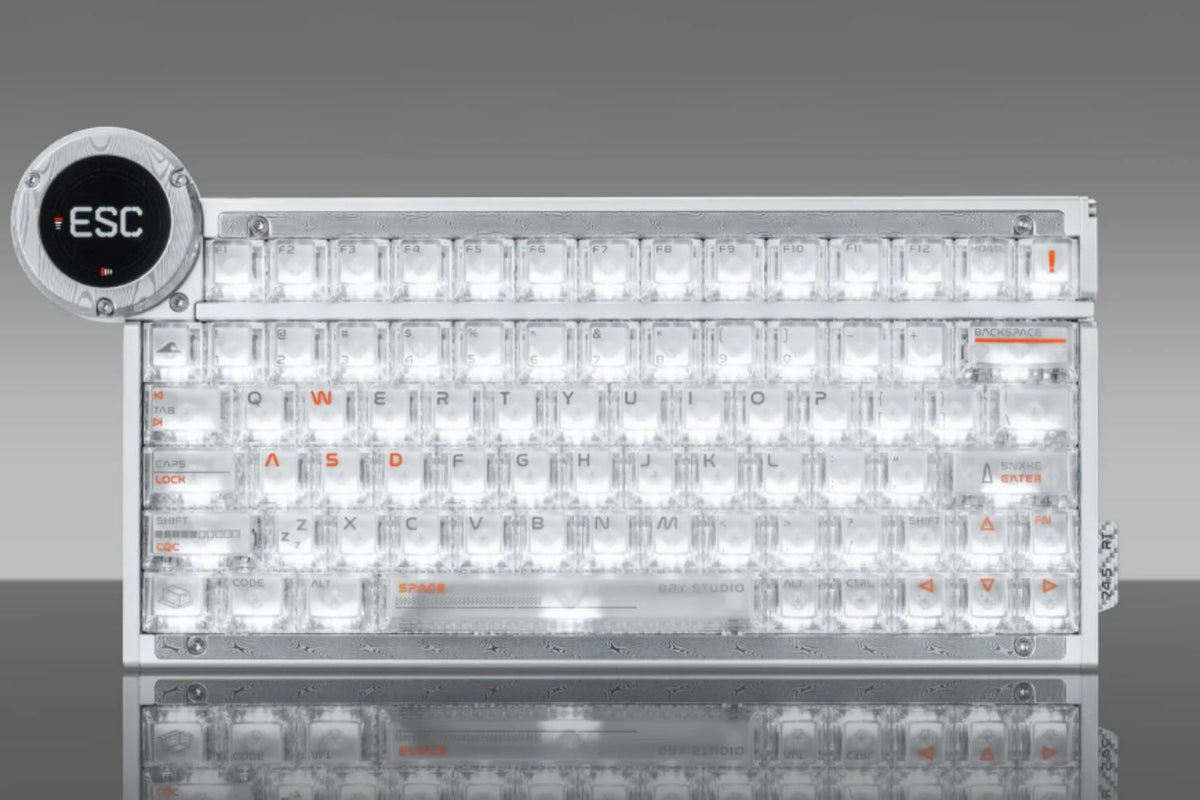
 The AM Relic 80 suits buyers who want RGB integrated into a premium desk build. It pairs in-switch lighting with independently controlled diamond-pattern corner modules, plus an 80% layout, hot-swap PCB, tri-mode connection, and leaf-spring mount. The bundled Icy Silver Pro V3 switches and $660 price make it a choice for enthusiasts who value material finish and visual design as much as everyday typing.
Dry Studio Black Diamond 75 V2
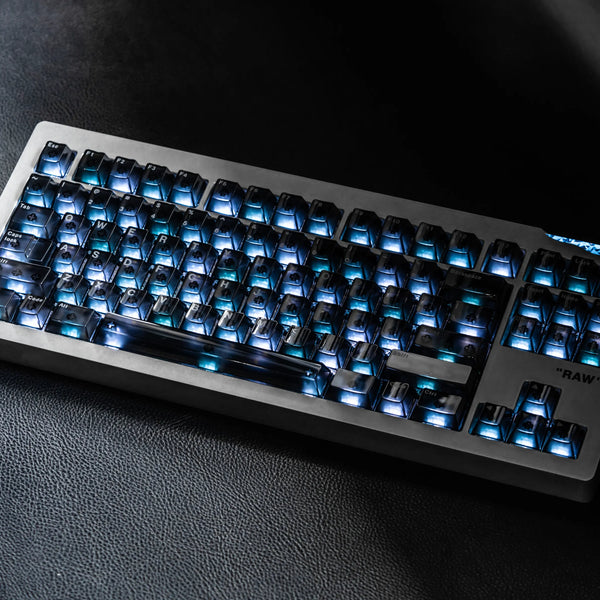
 The Dry Studio Black Diamond 75 V2 is a stronger fit for an RGB-focused gaming desk. Its compact 75% layout combines 81 in-switch LEDs with four programmable corner LEDs, leaving more mouse room than a full-size board. It also has hot-swap sockets, tri-mode connectivity, a 5000mAh battery, and claimed sub-2ms 2.4GHz latency; remember that vivid effects will shorten wireless runtime.
Razer BlackWidow V4 Pro
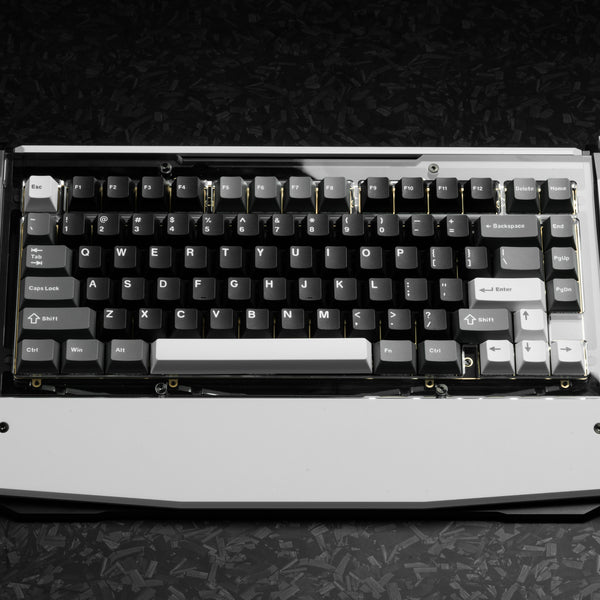
 Choose the BlackWidow V4 Pro if you already use Razer gear or want a synchronized desk setup. Chroma controls its per-key lighting, and the board can extend the effect through its underglow and compatible magnetic wrist rest. Its large full-size body and wired connection suit a permanent gaming desk more than a small shared workspace.
NuPhy Halo96 V2
 The NuPhy Halo96 V2 works for someone who needs a numpad but does not want a traditional full-width board. Its 96% layout keeps number entry close to the main keys, and the translucent lower case spreads RGB around the edges. It has a hot-swap PCB and wireless connectivity, but check the keycap legends if you need the light to make labels easy to read in a dark room.
Ducky OK-M
 The Ducky OK-M line is the budget option for people who still want more than a single-color backlight. It is available in several sizes, so you can choose based on desk space and whether you need a numpad. Side lighting adds desk glow, while the compact models give FPS players more room for broad mouse movement.
HyperX Alloy Origins Core
 The Alloy Origins Core is a straightforward TKL board with an aluminum body and per-key RGB. The TKL layout keeps the function row and arrows but removes the numpad, which is useful if you play games and do not need frequent numeric entry. It is a practical lower-cost choice for buyers who want clear lighting and a familiar layout without extra ecosystem features.
Royal Kludge RK84
 The RK84 is a value-focused 75% option with per-key RGB and hot-swap sockets. That combination gives new mechanical-keyboard users a way to try different compatible switches later. Its lower price naturally brings trade-offs in refinement and software polish, but it is a sensible fit if customization matters more than premium materials.
How Should You Choose the Best RGB Keyboard for Your Setup?
Start with your room and desk, not a lighting demo. For a dark shared room, shine-through legends and simple brightness controls are more useful than complex effects. For a gaming desk, choose the layout that leaves enough mouse room, then look at latency, switch type, and saved profiles. For a themed setup, edge lighting, underglow, and case materials may matter more than a high polling rate.
If you are also comparing layouts, switches, and performance priorities, the trade-offs become clearer in a best gaming keyboard shortlist. Use RGB as one part of the decision, then choose the board you would still enjoy using after the lights are off.
FAQs
Is an RGB keyboard worth it?
An RGB keyboard is worth it if you type or play in dim light, want to mark key groups, or enjoy matching your desk setup. It is less useful if you always work in bright light and do not care about effects or customization.
Do RGB keyboards use more battery?
Yes. Wireless keyboards use noticeably more power when RGB is bright or animated. Battery figures are often measured with lighting disabled, so expect shorter runtime if you use vivid effects every day.
Can you customize RGB without software?
Many RGB keyboards offer onboard shortcuts for brightness, color, and preset effects. Software is usually needed for per-key edits, advanced animations, app profiles, and syncing several peripherals together.
Are RGB keyboards good for typing?
They can be. RGB does not determine typing quality; switch feel, stabilizers, keycaps, mounting, and layout matter more. Backlighting can make legends easier to see, but choose a board that remains comfortable with RGB off.
Does RGB affect keyboard performance?
RGB should not affect normal typing, but very bright or complex effects can reduce wireless battery life. For competitive gaming, prioritize switch response, latency, and stable connectivity before choosing extra lighting zones.
Conclusion
The best RGB keyboard combines useful light control with the layout, switches, and build you want every day. Choose Corsair or Razer for deep ecosystems, Ducky or HyperX for value, and AM Relic 80 or Black Diamond 75 V2 when distinctive design matters as much as the glow.


WRITTEN BY
Angry Miao
Gaming Mouse Specialist • Angry Miao Editorial Team
-
-
-
-
More articlesShare:
QWERTZ vs QWERTY vs AZERTY Key Differences
7 Best Budget Gaming Mouse in 2026 by Price and Use