
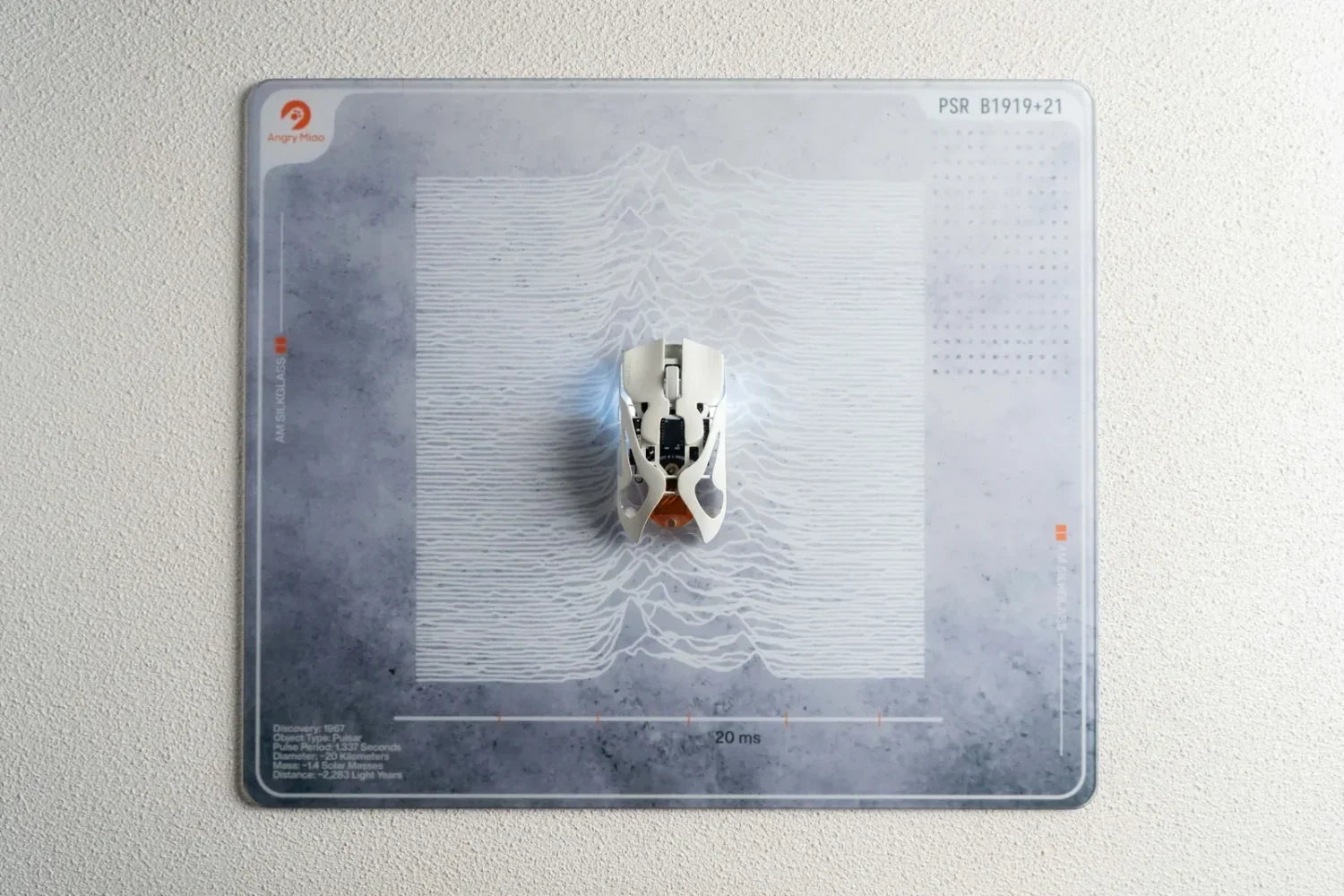
Mouse pad material changes how quickly a mouse starts moving, how easily it stops, how comfortable the surface feels, and how much maintenance it needs. Cloth is the safest all-round choice, glass and other hard surfaces favor speed and consistency, while hybrid materials aim to balance both. The right option depends on your sensitivity, tasks, and preferred amount of friction.
What Does Mouse Pad Material Change?
A mouse sensor reads tiny changes in the surface beneath it. A consistent texture helps those readings stay predictable, but the material also changes the physical resistance between the mouse feet and the pad. This is why the same mouse can feel controlled on one surface and unusually fast on another.
A well-matched surface lets a gaming mouse translate small hand movements without excessive drag or overshooting. In practical terms, notice how easily the mouse starts moving, how fast it glides, and how confidently it stops.
Material also affects wrist comfort, sound, portability, and cleaning. Soft foam-backed pads cushion the forearm and roll up easily. Rigid pads stay flat and resist permanent wear, but they feel harder against the wrist and make dust or damaged skates more noticeable.

What Are the Main Mouse Pad Material Categories?
Mouse pads are usually grouped as soft, hard, or hybrid. This broad category tells you more about the feel than the exact raw material, so it should be understood before comparing cloth, plastic, glass, or aluminum.
Soft Mouse Pads
Soft pads normally combine a fabric surface with a foam or rubber base. They are widely available, comfortable, quiet, and easy to roll for transport. Their added friction often gives useful stopping control, but moisture, dirt, and repeated contact can gradually change the glide.
Hard Mouse Pads
Hard pads use rigid surfaces such as plastic, metal, or tempered glass. They generally feel faster, stay flat, and wipe clean easily. In return, they provide less cushioning, make dust more noticeable, and can wear mouse feet faster. Their rigidity also limits portability and very large sizes.
Hybrid Mouse Pads
Hybrid pads sit between the two. Textured synthetic fabrics such as Cordura can provide more speed and wear resistance than traditional cloth while remaining flexible. The exact balance varies because “hybrid” is not a standardized surface specification.
Which Specific Mouse Pad Materials Are Common?
Most products fit into soft, hard, or hybrid groups, but the top layer matters more than the marketing label. Two cloth pads can have very different weaves, and two glass pads can differ in etching and coating. When comparing a gaming mouse pad, check the stated surface, base, thickness, and dimensions rather than choosing by appearance alone.
Cloth
Cloth is the most common mouse pad material because it is affordable, comfortable, and available in almost every size. A tighter, smoother weave usually feels faster, while a rougher weave provides more resistance and stopping control. Cloth works well for office use and low-sensitivity gaming, but skin oil, dust, humidity, and wear can slowly change its glide.
Hard Plastic
Plastic pads use a rigid, low-friction top that allows quick starts and fast swipes. They are lighter and less fragile than glass, and spills are easy to wipe away. However, the surface can wear smooth or become scratched, and loose dust may create a rough feeling or extra noise.
Glass
Tempered glass provides a very flat, durable, low-friction surface with consistent glide. It is easy to clean and does not absorb sweat, but it costs more, is difficult to transport, and offers less cushioning. Glass also exposes problems with dirty or worn mouse feet quickly, so regular wiping matters.

Aluminum
Aluminum is rigid, thin, and stable, with a fast feel similar to other hard pads. It handles spills well and can last a long time, but it may feel cold, create more sound, and wear mouse feet faster than cloth. Metal surfaces are less common today, partly because glass provides a similarly firm experience with more surface treatments available.
How Do Mouse Pad Materials Compare?
The table summarizes the general pattern described across the different surfaces. Exact glide still depends on weave, coating, mouse feet, cleanliness, and the pressure applied while moving the mouse.
|
Material |
Typical glide |
Stopping control |
Maintenance |
Best fit |
|
Cloth |
Slow to fast |
Medium to high |
Wash carefully |
Most users |
|
Plastic |
Fast |
Low to medium |
Easy to wipe |
Speed on a budget |
|
Glass |
Very fast |
Low |
Easy; wipe often |
Consistent fast glide |
|
Aluminum |
Fast |
Low to medium |
Easy to wipe |
Rigid, thin setups |
|
Hybrid/Cordura |
Balanced to fast |
Medium |
Varies |
Durable flexibility |
Which Mouse Pad Material Should You Choose?
Low-Sensitivity FPS Play
Low-sensitivity players make wide arm movements and need room to recenter the mouse. A large cloth or controlled hybrid pad is usually forgiving because it provides braking force near the end of a flick. Size can matter as much as material: a fast surface is not useful if you repeatedly reach its edge.
High-Sensitivity and Fast-Paced Play
High-sensitivity users move through shorter distances and may prefer the easy starts of a hard plastic, glass, or fast hybrid pad. These surfaces reduce the effort needed for repeated micro-adjustments, but they also reveal shaky input and require more deliberate stopping.
A Glass Option for Fast Glide
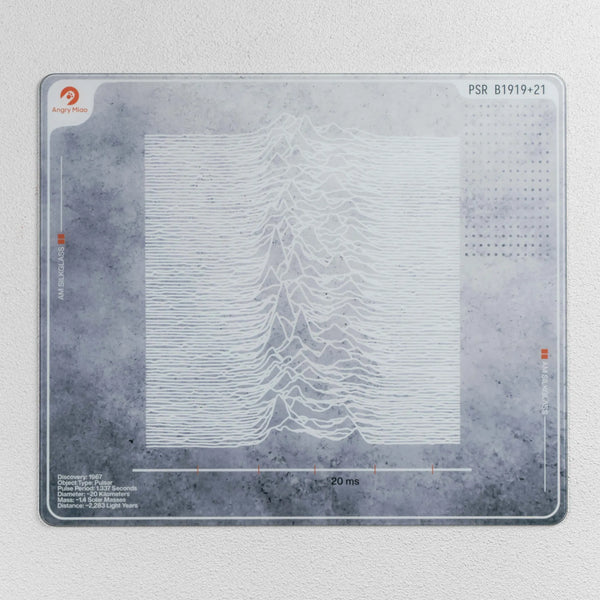
For users who already know they prefer a firm, low-friction surface, the AM SilkGlass Gaming Mouse Pad uses hardened tempered glass with a 2 micrometer micro-etched, nano-coated finish. Its 490 × 420 mm surface, 4 mm total thickness, and silicone anti-skid feet provide a large, stable area for fast movement. The trade-off is the typical glass-pad learning curve: stopping requires more deliberate control, and dust or worn mouse feet become easier to feel.
Practical Selection Checklist
Start with the movement problem you want to solve, then compare practical details. A simple decision process is more reliable than choosing the material that sounds most premium.
-
Choose your glide: pick cloth for more resistance, glass or plastic for speed, and hybrid for a middle ground.
-
Match your sensitivity: low sensitivity usually needs a larger pad and dependable stopping control; high sensitivity can work on a smaller, faster surface.
-
Consider comfort: if your wrist or forearm rests on the pad for hours, a soft base and smooth edge may matter more than maximum speed.
-
Confirm size and thickness: measure your usable desk area and your normal swipe distance. Thicker soft pads can hide small desk imperfections, while hard pads need a stable, flat base.
-
· Review maintenance: washable cloth is practical, while coated or hard surfaces must be cleaned according to the maker’s instructions.
If possible, test a few swipes rather than judging from a “speed” label alone. Those labels are not standardized, and pressure, mouse weight, skate material, weave, coating, and base softness all change the final feel.
What Other Mouse Pad Features Matter?
Size and Sensitivity
Material is only useful when the pad is large enough for your normal movement. High-sensitivity users can work with shorter travel, while low-sensitivity players need more room for broad arm sweeps. Measure the usable desk area before choosing a large or extended mat.
Base, Thickness, and Edges
A non-slip base keeps the pad from shifting. Thin pads feel firmer and reveal desk imperfections; thicker soft pads add cushioning but can create a raised edge against the forearm. Stitched edges resist fraying, while flush edges may feel smoother against the skin.
Cleaning and Maintenance
For cloth, remove loose dust first, then follow the manufacturer’s washing instructions. Mild soap, cool or lukewarm water, gentle hand cleaning, and complete air-drying are safer than hot water or aggressive scrubbing. Avoid folding coated pads or putting them back on the desk while damp.
For glass, plastic, or aluminum, unplug any powered features and wipe the surface with a clean microfiber cloth. Use only cleaners approved by the manufacturer because alcohol or harsh chemicals may damage coatings. Clean the mouse feet at the same time; trapped grit can scratch a hard pad and make glide inconsistent.
A glass mousepad can remain highly consistent because it does not absorb moisture, but that does not make it maintenance-free. A quick daily wipe and periodic inspection of the skates prevent dust from becoming noise, drag, or visible marks.

FAQs About Mouse Pad Materials
What is the best material for a mouse pad?
Cloth is the best all-round material for most people because it balances comfort, control, price, and size options. Glass or plastic is better for users who specifically want faster glide and easy cleaning.
Is a cloth or glass mouse pad better for gaming?
Cloth generally provides more stopping control and comfort, while glass provides faster, more consistent glide. FPS players can use either; the better choice depends on sensitivity, aim style, mouse weight, and skates.
Do mouse pad materials affect mouse accuracy?
Yes, mainly by changing friction and surface consistency. A suitable pad makes starts, tracking, and stops more predictable. Modern optical sensors work on many surfaces, but reflective, dirty, or uneven areas may still reduce consistency.
Do hard mouse pads wear out mouse feet faster?
They often do. Rigid, textured surfaces can abrade PTFE skates faster than cloth, especially when dust is trapped underneath. Keep both surfaces clean and replace feet when edges become rough or glide turns uneven.
Conclusion
Mouse pad material shapes speed, stopping control, comfort, noise, and upkeep. Choose cloth for an accessible balance, glass or plastic for low-friction glide, or hybrid for a middle ground. Match the surface to your sensitivity, desk space, mouse feet, and cleaning habits.
WRITTEN BY
Angry Miao
Gaming Mouse Specialist • Angry Miao Editorial Team
-
-
-
-
More articlesShare:
How to Fix Mouse Double Clicking: Causes and Solutions
6 Best iPhone 18 Pro Cases in 2026: Diverse styles