
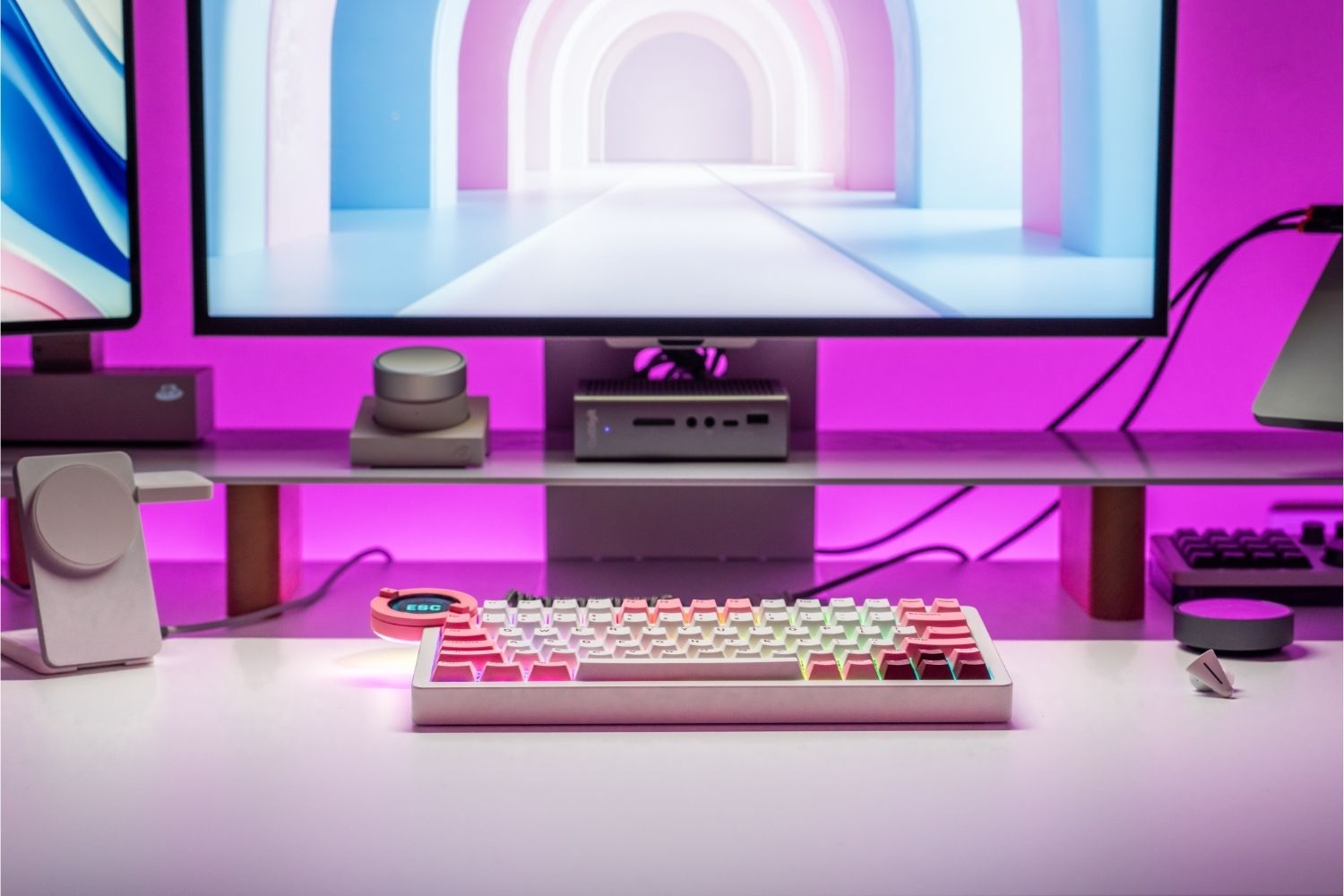
Mechanical keyboards use physical metal contacts, offering rich tactile feedback and endless switch customization. Magnetic keyboards use contactless Hall Effect sensors, unlocking adjustable actuation and Rapid Trigger for gaming. Choosing between them means prioritizing typing feel or competitive speed. This guide breaks down both to help you decide.
What Is a Mechanical Keyboard?
A mechanical keyboard uses an individual physical switch beneath every key. Unlike membrane keyboards — which use a single rubber sheet across the entire board — each key operates through its own dedicated mechanism independently.
When a key is pressed, a plastic stem travels downward, compressing a spring and bringing two metal contacts together to register the keypress. The shape of the stem determines the switch type: linear switches travel smoothly without any bump; tactile switches produce a noticeable bump at the actuation point; clicky switches add an audible click on top. This physical variety is the format's greatest strength — there's a mechanical switch to match almost any typing preference.
The main limitation is a fixed actuation point, typically 1.8–2.0mm, set by the physical design of the switch and unchangeable after manufacture. A quality custom keyboard built on hot-swap mechanical switches lets you change the feel by swapping switches, but the actuation threshold stays fixed per switch type.

What Is a Magnetic Switch Keyboard?
A magnetic switch keyboard — also called a Hall Effect keyboard — registers keypresses without any physical contact. Each switch contains a magnet on the stem and a Hall Effect sensor on the PCB beneath it. As the key is pressed, the magnet moves closer to the sensor, the field strength changes, and the sensor registers the keypress. No metal parts need to touch.
This continuous position sensing is what separates magnetic keyboards from mechanical ones and enables two features that mechanical keyboards cannot replicate.
Adjustable Actuation
On a mechanical keyboard, the actuation point is fixed by the switch design. On a magnetic keyboard, it can be set anywhere in the travel range via software, from 0.1mm for the fastest possible response to 3.8mm for a deliberate deep press. Each key can be configured independently, letting players set lighter actuation on movement keys and deeper on less-used inputs to prevent accidental presses.
Rapid Trigger
On a mechanical keyboard, a key must travel back up past a fixed reset point before it can register another press. Rapid Trigger allows the key to reset the instant it starts moving upward, regardless of position. In FPS titles where counter-strafing and rapid directional changes matter, this produces a measurable advantage. The hall effect keyboard category has grown largely because of this feature — it's the clearest performance gap between the two technologies.
Magnetic switches feel smooth and linear across the board. The sensor-based mechanism produces no tactile bump or click — a contrast to the variety of mechanical switches that offer.

Mechanical vs Magnetic Keyboards: Key Differences
Typing Feel and Switch Variety
Mechanical keyboards offer linear, tactile, and clicky switches across dozens of manufacturers — weights from 35g to 80g, feedback at different depths, and silent variants for quiet environments. If typing feel matters, no magnetic keyboard matches this range of options.
Magnetic switches are smooth and linear by design. The sensor-based mechanism doesn't naturally produce tactile bumps or clicks, so the feel is consistent but limited. For gaming, this works well; for users who type extensively and want feedback, it's a real constraint.
Gaming Performance
For competitive FPS and MOBA, magnetic keyboards have the advantage. Adjustable actuation and Rapid Trigger cannot be replicated on mechanical hardware — the performance gap is most visible in games requiring frequent direction changes and rapid key cycling. For casual gaming, strategy, or MMO — where raw input speed is secondary — a mechanical keyboard with fast linear switches is fully competitive.
Noise Level
Mechanical keyboards vary significantly by switch type. Clicky switches are loud by design; linear switches on a well-dampened board can be very quiet; silent switch variants push further. The noise level is almost entirely a choice you make when selecting switches.
Magnetic switches are consistently quiet regardless of configuration — no click mechanism, just keycap-on-plate impact at the bottom of travel, for office environments and streaming setups where consistent quiet operation matters, magnetic keyboards have a reliable advantage.
Durability
Mechanical switches are rated for 50–100 million keystrokes. Contact wear is the primary failure mode — the metal leaves degrade over time and can cause key chatter in heavily used switches. Hot-swappable boards make individual switch replacement straightforward when this happens.
Magnetic switches are rated for 100 million keystrokes or more. With no physical contact points to degrade, the main failure mode of traditional switches simply doesn't apply. For players practicing several hours daily over multiple years, the difference is meaningful.
Price
Mechanical keyboards cover every price point — entry-level boards start under $50, with the range extending to $300+ for premium custom builds. The ecosystem is mature and competitive at every budget.
Magnetic keyboards typically start at $100 or above, reflecting the cost of Hall Effect sensor technology. The price gap has narrowed as the format matures, but magnetic keyboards remain more expensive at equivalent build quality.
Mechanical vs Magnetic at a Glance
| Mechanical | Magnetic | |
|---|---|---|
| Actuation method | Physical metal contact | Hall Effect sensor |
| Actuation point | Fixed | Adjustable via software |
| Typing feel | Linear/tactile/clicky | Smooth linear only |
| Rapid Trigger | No | Yes |
| Noise | Varies by switch | Consistently quiet |
| Durability | 50–100M keystrokes | 100M+ keystrokes |
| Customisation | Hardware (switch swap) | Software (profiles, actuation) |
| Price | $30–$300+ | $100+ |
Which Should You Choose?
For Competitive Gaming
Magnetic keyboards are the stronger choice. Rapid Trigger and adjustable actuation deliver advantages that mechanical keyboards cannot match — most relevant in FPS titles where key reset speed and input precision directly affect outcomes. The Angry Miao Dry Studio is one of the more complete options in this category: TTC KOM RGB magnetic switches, 16K scan rate, 8K polling rate, 0.125ms latency, and RT accuracy down to 0.01mm.

For Typing and Productivity
Mechanical keyboards win here. The variety of switch types — tactile, clicky, linear, silent — covers preferences that no magnetic keyboard can replicate. For long writing, coding, or data entry sessions where feedback matters as much as speed, mechanical switches are the more satisfying and practical option.
For Mixed Use and Budget
Mechanical keyboards are the safer default. They cover gaming and productivity without compromise, come in at every price point, and offer a larger ecosystem of switches and keycaps. Layout is often the next decision after switch type — players who split time between gaming and daily work often find that whether they need a dedicated F-row comes down to their software habits. Keyboard Size and layout make that clearer if you're still deciding.
Conclusion
Mechanical keyboards win on feel variety, price range, and hardware customisability. Magnetic keyboards win on competitive gaming performance, software flexibility, and long-term durability. Neither is universally better — the decision comes down to what you spend most of your time doing at the keyboard. In 2026, both technologies are mature enough that either is a strong choice for the right use case.
FAQ
Are magnetic keyboards better than mechanical ones for gaming?
For competitive FPS and MOBA, yes — Rapid Trigger and adjustable actuation give magnetic keyboards a ceiling that mechanical switches can't reach. For casual gaming, mechanical keyboards are fully competitive.
Do magnetic switches feel different from mechanical switches?
Yes. Magnetic switches are smooth and linear with no bump or click. Mechanical switches come in linear, tactile, and clicky variants — significantly more variety for typists.
Are magnetic keyboards worth the higher price?
For competitive players using Rapid Trigger daily, yes. For casual users or heavy typists, the premium over a good mechanical keyboard is harder to justify.
Can I hot-swap switches on a magnetic keyboard?
Most cannot. Hardware customisation is more limited — magnetic keyboards compensate with software customisation instead.
Is Rapid Trigger allowed in esports?
Generally, yes, but rules vary by tournament. Always check the competition guidelines before using Rapid Trigger in organised play.
WRITTEN BY
Angry Miao
Gaming Mouse Specialist • Angry Miao Editorial Team
-
-
-
-
More articlesShare:
Mechanical Keyboard Switch Types: How to Choose?
Best Custom Mechanical Keyboards of 2026