
Mouse polling rate is a crucial specification that determines how responsive and fluid your mouse feels during use. While DPI often steals the spotlight, polling rate controls the frequency of communication between your mouse and computer, directly impacting input smoothness and perceived latency. This guide breaks down the concept clearly, explores its real-world effects, and offers practical advice tailored for both gaming and office environments.
What Is Mouse Polling Rate?
Polling rate, also known as report rate, refers to how often a mouse sends its position and button data to the computer. It is measured in Hertz (Hz), which indicates the number of reports per second. A 1000 Hz polling rate, for example, means the mouse updates its position 1000 times every second — once every 1 millisecond. In contrast, a 125 Hz rate updates only every 8 milliseconds.
Higher polling rates shorten the interval between your physical hand movement and the computer's response, resulting in lower input latency and noticeably smoother cursor tracking. Today's gaming mice commonly support rates from 125 Hz up to 8000 Hz, with many offering adjustable options through dedicated software.

How Does Polling Rate Differ from DPI?
It is important to distinguish the polling rate from the DPI. DPI (Dots Per Inch) defines the mouse's sensitivity — how far the cursor travels on screen for a given physical movement. Polling rate, however, governs the update frequency — how often that movement information is transmitted to the computer.
Think of it this way: DPI decides “how much” the cursor moves, while polling rate decides “how often” the computer receives fresh data. Even a high-DPI mouse can feel sluggish or jittery with a low polling rate. The two specifications work together to shape the overall input experience.
Why Does Polling Rate Matter in Everyday Use?
Polling rate influences three key areas: responsiveness, smoothness, and efficiency. A higher rate reduces the time gap between your action and on-screen feedback, making movements feel more immediate and connected. This benefit is especially noticeable in precision tasks or fast-paced activities.
It also contributes to better muscle memory because consistent updates create more predictable cursor behavior. For office users, this means less perceived jitter when editing documents or navigating detailed interfaces. However, extremely high rates increase CPU load and battery consumption on wireless mice, requiring a thoughtful balance between performance and practicality.
High vs Low Polling Rate: Which Feels Better?
Advantages of High Polling Rate (1000 Hz and Above)
High polling rates deliver snappier response times, smoother tracking curves, and reduced motion latency. They shine in scenarios demanding quick flicks, micro-adjustments, or consistent aiming. When paired with hall effect keyboard, the difference becomes more apparent. Many competitive gamers prefer 1000–4000 Hz for tangible improvements without overwhelming trade-offs.
Advantages of Lower Polling Rate (125–500 Hz)
Lower rates provide sufficient smoothness for most daily tasks while offering better power efficiency and lower system overhead. They are stable, conserve battery life on wireless mice, and remain perfectly adequate for office productivity, web browsing, or casual gaming. Users who value long runtime or minimal resource usage often find 125–500 Hz both comfortable and practical.

Recommended Polling Rate for Gaming
FPS Games
In competitive first-person shooters such as Counter-Strike 2, Valorant, or Call of Duty, 1000 Hz is the standard for most players and professionals. Advanced users often increase to 2000–4000 Hz for sharper tracking and faster flick shots. While 8000 Hz is available on gaming mice, many players notice diminishing returns beyond 4000 Hz when using typical DPI settings. The goal is consistent, low-latency aiming with stable muscle memory.
MOBA, RTS and Strategy Games
For games like League of Legends, Dota 2, or StarCraft II, 500–1000 Hz delivers excellent fluidity for camera panning and unit selection. Higher polling rates offer only marginal gains here, as these genres rely more on quick clicks, map awareness, and strategic overview than ultra-precise micro-adjustments.
Other Genres (RPG, MMO, and Casual Games)
RPGs, MMOs, and casual titles generally perform well between 500–2000 Hz. Higher rates can feel smoother during exploration and combat, but the difference is less critical than in FPS games. Pairing higher polling rates with high-refresh-rate monitors (240 Hz or above) maximizes perceived smoothness.
Specific Game Polling Rate Recommendations
|
Game Title |
Recommended Polling Rate |
Notes |
|
CS2 |
1000–4000 Hz |
Precision spray control and tracking |
|
Valorant |
1000–4000 Hz |
Pixel-perfect aiming and quick peeks |
|
Overwatch 2 |
1000–2000 Hz |
Hero tracking and team fight responsiveness |
|
Call of Duty (Warzone) |
1000–2000 Hz |
Fast flicks and movement |
|
League of Legends |
500–1000 Hz |
Quick map navigation and clicks |
|
Dota 2 |
500–1000 Hz |
Unit control and camera movement |
|
StarCraft II |
500–1000 Hz |
Rapid micro and macro management |
|
World of Warcraft / RPGs |
500–2000 Hz |
Long sessions and balanced feel |
Recommended Polling Rate for Office and Productivity
For everyday office tasks — Word, Excel, browsing, and email — 125–500 Hz is more than sufficient and helps extend battery life on wireless mice. Creative professionals working in Photoshop, video editing, or CAD may benefit from 500–1000 Hz for smoother cursor control during detailed work. In multi-monitor or high-resolution setups, stepping up to 1000 Hz can make large-screen navigation feel more responsive without significant power penalties.
How to Adjust and Optimize Your Polling Rate
Most modern mice allow easy adjustment through manufacturer software such as Logitech G HUB or Angry Miao Am Infinity Mouse. Install the application, locate the performance or sensitivity tab, select your desired Hz value (125 / 500 / 1000 / 2000 / 4000 / 8000), and save the profile to the mouse’s onboard memory. Some models also feature physical buttons for on-the-fly changes.

A simple optimization approach: start with 1000 Hz as a balanced baseline for one full day. Then test lower or higher settings during your primary activities. Pay attention to responsiveness, cursor smoothness, consistency, and any changes in battery life or CPU usage. Most users settle comfortably at 1000 Hz for gaming or 500 Hz for office work. Re-test after upgrading your monitor or other hardware.
Common Myths and Practical Considerations
A frequent myth is that “a higher polling rate is always better.” In reality, benefits often plateau beyond 2000–4000 Hz, while power consumption and minor system overhead increase. Extremely high rates may also cause instability on older computers without updated firmware and drivers.
Focus on settings that match your actual usage and hardware rather than chasing maximum advertised numbers. For wireless mice, higher polling rates typically shorten battery runtime, so balance is key.
Experience Ultimate Polling Rate with the Angry Miao AM Infinity Ultralight Mouse
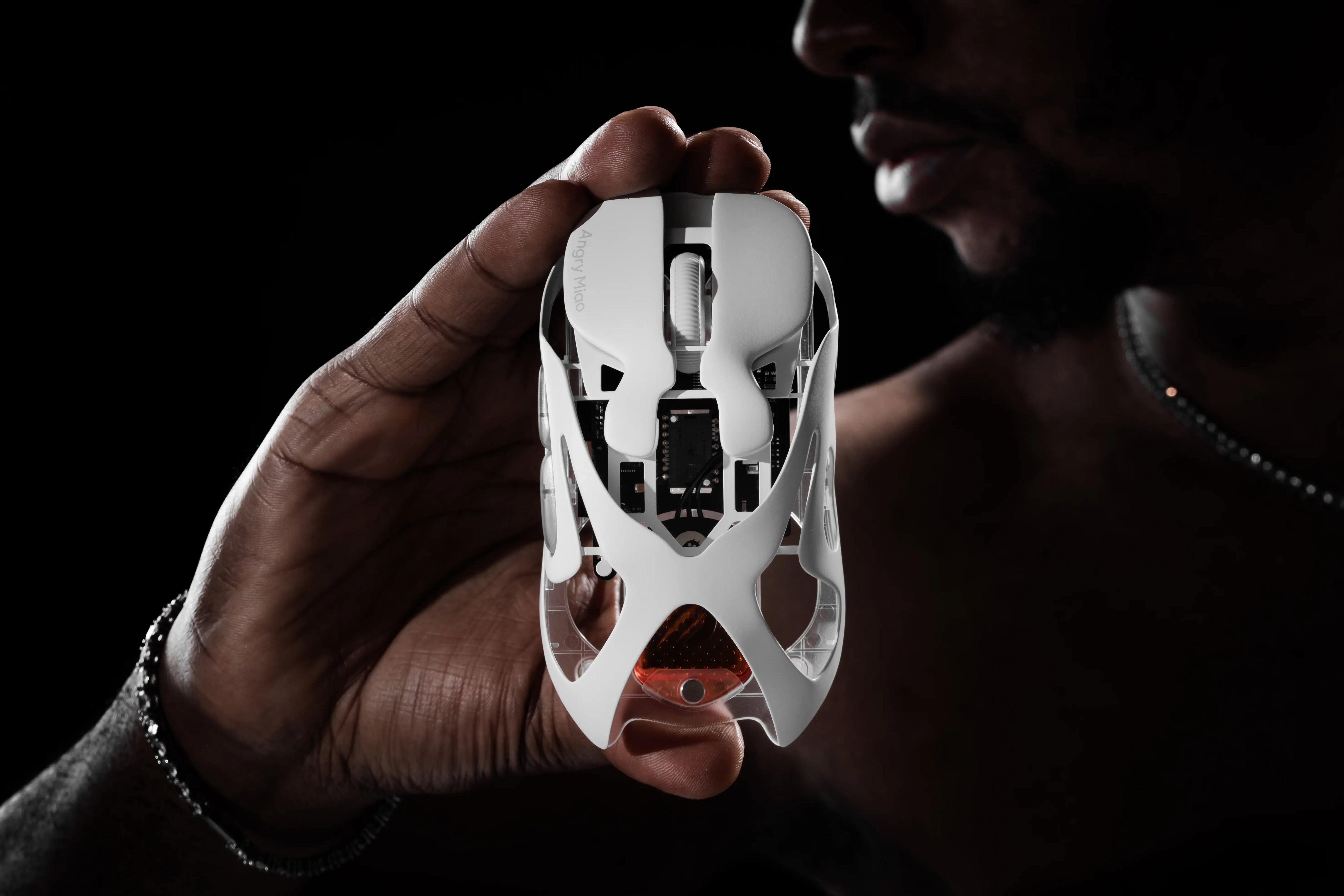
For those seeking top-tier responsiveness, the am infinity mouse excels with its flagship PAW3950 sensor and support for dual 8K polling rate (8000 Hz) in both wired and 2.4GHz wireless modes. At just 49g wirelessly (or 39g wired), its hollowed magnesium-aluminum alloy exoskeleton delivers outstanding rigidity and balance.
Smooth TTC Orange Dot optical switches, hot-swappable magnetic batteries, and tri-mode connectivity ensure your chosen polling rate performs at its best — whether for competitive gaming or extended productivity sessions.
Conclusion
Mouse polling rate determines the speed and smoothness of mouse movement to the computer screen. While 1000 Hz is a reliable optimal choice for most users, understanding its relationship with DPI can help you create a more sensitive and comfortable mouse setup. Angry Miao delivers a perfect blend of performance and style in this mouse and other high-end desktop accessories, helping you create a complete gaming and work environment.
FAQs: Mouse Polling Rate Quick Guide
1. Is a higher polling rate always better for gaming?
Not necessarily. While 1000Hz to 4000Hz is the industry standard for pro gaming, rates like 8000Hz consume more CPU power and drain batteries faster. For most players, 1000Hz offers the best balance of speed and stability.
2. Does polling rate affect my wireless battery life?
Yes, significantly. Higher polling rates require the mouse to send data more frequently. Running at 8000Hz will drain the battery much faster than 1000Hz. We recommend lowering it to 125Hz or 500Hz for travel or office work to save power.
3. What is the best polling rate for daily office work?
500Hz is the perfect middle ground. It provides a fluid experience for precision tasks like Photoshop or Excel without unnecessary CPU load or battery drain. For basic web browsing, even 125Hz is more than enough to get the job done.
4. Is a 1000Hz polling rate overkill for gaming?
Not at all. In competitive FPS games like Valorant, 1000Hz ensures your mouse reports its position every 1ms. This reduces input lag to a level where movements feel instant, which is crucial for high-speed tracking and flick shots.
5. Can the human eye distinguish between 500Hz and 1000Hz?
You don't "see" it as much as you "feel" it. While your eyes might not catch every frame, your muscle memory picks up the increased smoothness. On a 240Hz+ monitor, a 1000Hz mouse aligns better with the screen refreshes for a jitter-free experience.

Share:
Dry Studio PETBRICK 65 - the first fluffy, pettable custom mechanical keyboard in the world
What Is Mouse DPI? Ideal DPI Guide for Gaming and Office